

Every operations manager knows the frustration of stretched resources and escalating costs when maintenance needs outpace available staff. In complex industrial settings, making the wrong allocation can mean costly downtime or delayed repairs that ripple across your entire operation. By focusing on a clear assessment of operational requirements and using intelligent allocation tools, you position your team to address high-impact tasks promptly, improve efficiency, and keep budgets firmly under control.
Table of Contents
- Step 1: Assess Operational Requirements For Resource Allocation
- Step 2: Configure Assets And Teams In Your Management Platform
- Step 3: Allocate Resources To Work Orders Using Intelligent Tools
- Step 4: Monitor And Adjust Allocations For Optimal Performance
- Step 5: Verify Resource Utilisation And Report Outcomes
Quick Summary
| Key Point | Explanation |
|---|---|
| 1. Assess Operational Requirements | Understand daily, weekly, and monthly tasks to optimise resource allocation effectively. |
| 2. Configure Assets and Teams Properly | Enter accurate asset details and define team roles within your management platform to streamline operations. |
| 3. Use Intelligent Tools for Resource Allocation | Employ data-driven tools to assign tasks based on technician skills, availability, and asset needs. |
| 4. Monitor and Adjust Allocations Regularly | Continuously track performance metrics to identify inefficiencies and make necessary adjustments. |
| 5. Verify Resource Utilisation and Report Outcomes | Measure and report how effectively resources are used to justify investments and improve transparency. |
Step 1: Assess operational requirements for resource allocation
Before allocating resources, you need a clear understanding of what your operations actually demand. This step forms the foundation for every decision that follows, ensuring your team and assets are positioned where they deliver the most value.
Start by documenting your current operational landscape. What maintenance tasks occur daily, weekly, or monthly? Which equipment requires the most attention? Which roles are stretched thin? This audit reveals patterns that pure intuition misses, and it prevents resource misallocation born from assumption rather than data.
Next, identify your operational constraints. These might include budget limits, staff availability, equipment capacity, or regulatory compliance demands. Understanding resource allocation optimisation strategies helps you balance efficiency with practical limitations.
Here’s what to assess across your operation:
- Maintenance volume: How many tasks need completing each week across your facilities?
- Equipment criticality: Which assets would cause production shutdowns if they failed?
- Skill requirements: Do certain jobs demand specialist technicians or can general maintenance staff handle them?
- Time constraints: What’s your average response time for emergency repairs versus scheduled work?
- Seasonal patterns: Do workloads spike at particular times of year?
Once you’ve gathered this information, prioritise your operational needs. Not all requirements carry equal weight. Critical equipment that supports revenue-generating operations demands different resource allocation than routine maintenance on secondary systems.
Organisations that invest time assessing operational requirements before allocating resources typically reduce waste by 20-30% and improve response times significantly.
Create a prioritised list ranking your maintenance categories by business impact and frequency. This ranking becomes your allocation blueprint, guiding decisions about which tasks receive technicians first, which equipment gets preventive maintenance budgets, and where you need additional staffing.
Pro tip: Use historical maintenance data from your last 12 months to identify patterns rather than relying on rough estimates; accurate historical trends reveal true operational needs far better than assumptions about how busy you think you are.
Step 2: Configure assets and teams in your management platform
With your operational requirements mapped out, you’re ready to set up your platform to reflect your actual maintenance structure. This step connects your team members and equipment to the system, creating the digital backbone of your resource allocation.
Begin by entering your asset inventory into the platform. Each piece of equipment becomes a record with critical details: location, maintenance history, criticality level, and scheduled service dates. Think of this as teaching your system what you own and why each asset matters. A production line pump deserves different attention than a backup compressor, and your platform needs to know the difference.

Next, configure your teams by assigning staff members and defining their roles. Effective team asset mapping identifies what capabilities exist within your workforce and where gaps emerge. This reveals whether you have enough specialist technicians or if cross-training is needed.
Here’s how to structure your team configuration:
- Create team groups based on your operational structure (electrical specialists, hydraulics team, general maintenance).
- Assign each technician to their primary team and relevant skill categories.
- Define explicit roles such as lead technician, supervisor, or apprentice to establish accountability.
- Link team members to assets they’re qualified to service.
- Set availability status and skill certifications for each person.
Assigning specific responsibilities prevents confusion and ensures tasks reach the right person. When you designate who tracks progress, who approves work, and who communicates updates, your team moves faster and makes fewer mistakes.
Teams with clearly defined roles and explicit responsibility assignments complete work orders 35% faster than teams with ambiguous role structures.
Verify that your platform reflects reality before moving forward. Walk through your system and confirm every critical asset appears, every technician is listed with accurate skills, and team hierarchies match your actual reporting structure. Mistakes caught now prevent headaches during resource allocation decisions.
Pro tip: Start with your core assets and essential team members in the initial configuration, then expand gradually; trying to input everything at once often creates errors and overwhelms staff, whereas phased rollout allows adjustments before full implementation.
Step 3: Allocate resources to work orders using intelligent tools
Now you’re ready to leverage your platform’s allocation capabilities to assign technicians and assets efficiently. This step transforms your operational data into smart assignments that reduce idle time and accelerate job completion.
Begin by reviewing your pending work orders. Your system likely displays them prioritised by urgency, asset criticality, or deadline. Rather than assigning tasks manually based on habit or convenience, let intelligent allocation tools do the heavy lifting. These systems analyse constraints like technician availability, skill requirements, and travel time to recommend optimal assignments.
Intelligent allocation relies on automated planning algorithms that factor multiple variables simultaneously. A standard manual process might miss that your best electrician is already fully booked, whereas an optimisation system instantly identifies the next qualified person available. This prevents bottlenecks and reduces the overhead of constant manual rescheduling.
Here’s your allocation workflow:
- Review work orders flagged as ready for scheduling.
- Check the system’s recommended technician matches their skills and availability.
- Confirm travel time and equipment requirements are feasible.
- Approve the allocation or adjust if circumstances changed since data entry.
- Notify the assigned technician through your platform.
Don’t blindly accept every suggestion. Use intelligent recommendations as a starting point, then apply your operational knowledge. Maybe the system recommends a technician with a three-hour commute when someone equally qualified works nearby. Override it intelligently.
Monitor how allocations perform over time. Which recommendations consistently produce fast job completion? Which create delays or rework? This feedback helps your system learn your operation’s nuances and improve future suggestions.
Here is a comparison of traditional manual resource allocation versus intelligent, data-driven allocation:
| Aspect | Manual Allocation | Intelligent Allocation |
|---|---|---|
| Assignment Speed | Slow, dependent on individuals | Rapid, system-driven decisions |
| Error Rate | High due to assumptions | Lower with data-based matching |
| Technician Utilisation | Often inconsistent | Optimised for workload balance |
| Scheduling Flexibility | Difficult to adapt quickly | Dynamic and easily adjustable |
| Impact on Costs | Can lead to higher waste | Reduces overtime and idle time |
Organisations using intelligent allocation tools reduce scheduling time by 60% whilst improving technician utilisation rates and decreasing travel-related inefficiencies significantly.
Reallocate resources dynamically when emergencies arise. A critical asset failure shouldn’t derail your entire day’s schedule. Intelligent tools help you quickly reassign lower-priority work and mobilise the right expertise to urgent problems.
Pro tip: Review and refine your allocation rules quarterly; as your operation evolves, technician skill levels increase, and equipment ages, your allocation parameters need updating to reflect current reality and prevent the system from making outdated recommendations.
Step 4: Monitor and adjust allocations for optimal performance
Allocation isn’t a set-it-and-forget-it exercise. You need continuous monitoring to spot inefficiencies, identify bottlenecks, and fine-tune your resource deployment. This step ensures your allocations actually deliver the performance improvements you anticipated.
Start by establishing clear performance metrics. Track technician utilisation rates, job completion times, first-time fix rates, and travel distances. Your platform should provide dashboards showing these metrics in real time. Are your best technicians spending 40% of their time commuting? Are certain asset types consistently missing their service windows? These insights drive smarter adjustments.
Monitor allocation effectiveness by comparing planned versus actual outcomes. Did that job really take eight hours as predicted, or did it finish in five? Understanding performance monitoring mechanisms helps you identify where your allocation assumptions diverge from reality. Equipment age, technician experience, and seasonal factors all influence actual performance.
Review these metrics regularly:
- Technician idle time: Are people waiting between assignments or stuck in transit?
- Schedule adherence: Do jobs stay on track or consistently overrun?
- Asset downtime: Are critical equipment breakdowns increasing or decreasing?
- Cost per job: Is travel time inflating costs on remote assets?
- Rework rates: Are technicians returning to the same asset multiple times?
When metrics reveal problems, adjust your allocation strategy. Perhaps your travel time estimates are too optimistic, so you’re overloading schedules. Maybe certain technicians need additional training before handling complex jobs alone. Seasonal demand spikes might require temporary staff or different shift patterns.
Organisations that review allocation performance monthly and make data-driven adjustments achieve 25-35% improvement in resource efficiency within six months.
Test adjustments on a small scale before rolling them organisation-wide. If you’re experimenting with new skill-based assignments or geographic zones, pilot the approach with one team first. Measure results carefully before expanding.
Involve your technicians in the adjustment process. They’ll spot practical issues that dashboards miss. A route that looks efficient on paper might involve dangerous traffic patterns or facilities closed at certain times. Their feedback prevents tone-deaf optimisations that create frustration.
Pro tip: Set aside 30 minutes every Monday morning to review the previous week’s allocation performance metrics; this regular cadence catches problems early before they compound, and it demonstrates to your team that data drives decision-making rather than arbitrary changes.
Step 5: Verify resource utilisation and report outcomes
Your allocation strategy is only valuable if it actually delivers results. This final step involves measuring how effectively your resources are being used and communicating those outcomes to stakeholders. Verification transforms raw data into actionable insights that justify your resource investment.
Begin by gathering utilisation data from your platform. Track hours logged, jobs completed, assets serviced, and costs incurred. Your system should automatically capture most of this information, but manually verify accuracy for critical metrics. A technician might log eight hours on a job when they actually worked six. Equipment might show as utilised when it sat idle waiting for parts.
Compare actual utilisation against your allocation targets. Did technicians work the hours you scheduled? Were assets maintained on their planned intervals? Understanding systematic evaluation methods for resource effectiveness helps you assess whether your allocations achieved their intended goals or fell short due to external factors.
Key utilisation metrics to verify:
Below is a summary of critical allocation metrics and what they indicate for your operations:
| Metric | What It Indicates | Typical Improvement if Optimised |
|---|---|---|
| Technician Utilisation Rate | Efficiency of labour allocation | Up to 30% efficiency gains |
| Asset Downtime | Reliability of key equipment | Reduction in unplanned outages |
| Cost per Job | Financial impact of allocation | Lower operational expenses |
| Schedule Adherence | Accuracy of time estimation | Faster completion, fewer delays |
| First-Time Fix Rate | Effectiveness of skill matching | Higher customer satisfaction |
- Technician billable hours: What percentage of their time goes to paid work versus administration?
- Asset maintenance compliance: Are critical assets receiving scheduled servicing?
- First-time fix rate: What percentage of jobs stay fixed versus requiring callbacks?
- Resource cost per outcome: Are you spending more to maintain assets than replacement would cost?
- Team capacity utilisation: Are you operating at 70-85% capacity or running understaffed?
Once you’ve verified utilisation, create reports for relevant stakeholders. Operations managers need different information than finance teams or executive leadership. Operations managers want to know if processes improved. Finance wants to see cost per job and return on investment. Executives care about business impact and whether maintenance costs are trending up or down.
Organisations that report resource utilisation outcomes quarterly show measurably better stakeholder buy-in for resource investments and secure budget approvals more consistently.
Highlight both successes and shortfalls. If technician utilisation improved by 18%, that’s worth celebrating and sharing. If rework rates increased despite better allocation, that’s worth investigating rather than hiding.
Use reports to justify future resource decisions. If you need additional staff, your utilisation data provides evidence. If certain assets consistently underperform despite adequate resources, that might signal a maintenance problem rather than an allocation problem.
Pro tip: Create a simple monthly dashboard that your entire team can see; transparency about how resources are being used builds trust, encourages accountability, and helps technicians understand the connection between their work and organisational priorities.
Transform Your Resource Allocation with Intelligent Asset Management
Efficient resource allocation is critical for optimising maintenance efforts and maximising asset performance as highlighted in the “Resource Allocation Tutorial for Efficient Asset Management”. If you struggle with balancing technician skills, managing equipment criticality or adapting to dynamic schedules, these challenges can cause wasted time and higher operational costs. Fullyops understands these pain points and offers a powerful SaaS solution designed to streamline your maintenance processes by integrating workload planning, real-time tracking, and detailed performance analytics into one platform.
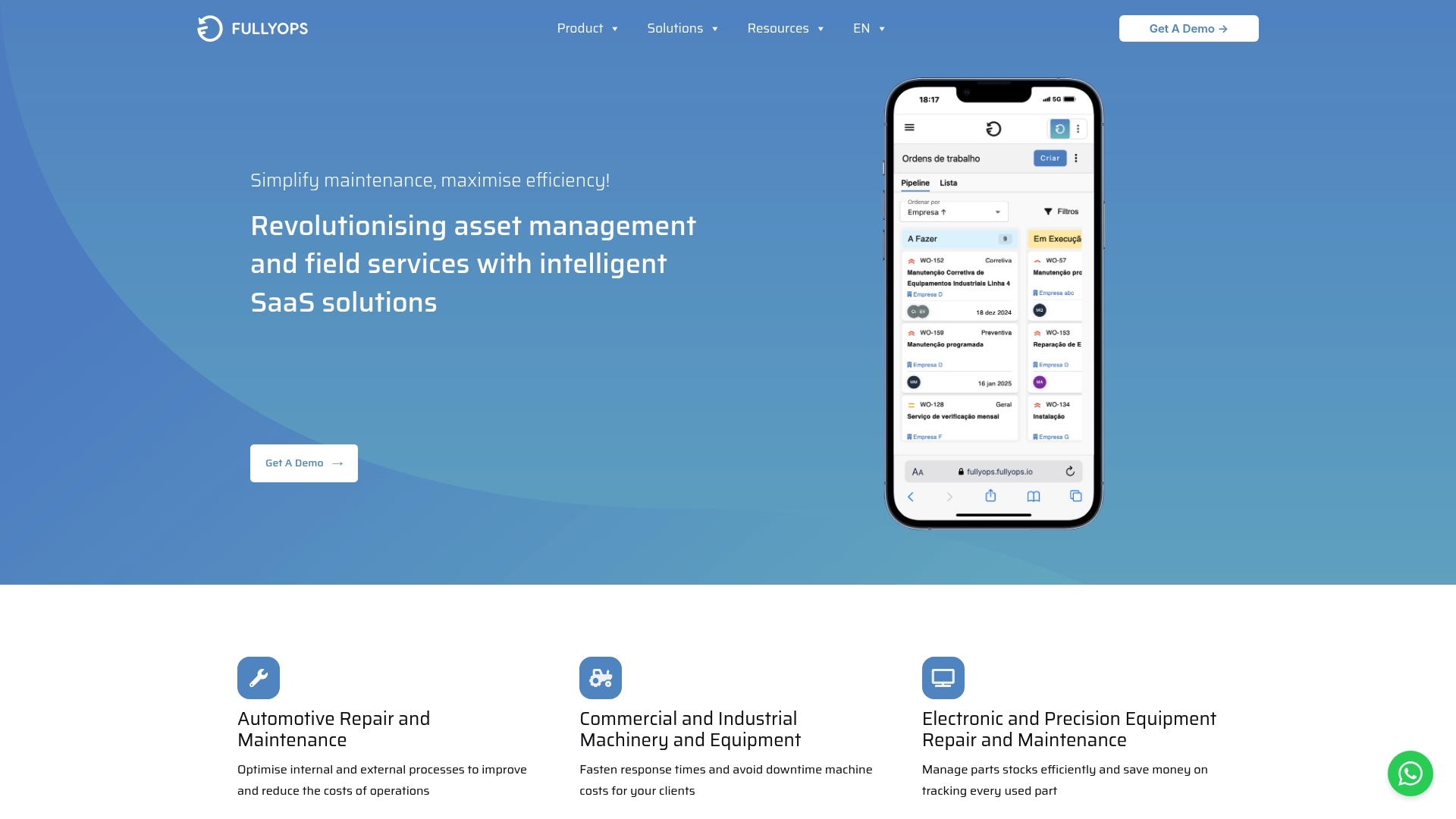
Take control of your field service operations today. By adopting Fullyops, you gain access to intelligent work order management, automated resource allocation tools, and transparent reporting that empower you to make data-driven decisions. Don’t let outdated manual processes hold your team back. Visit Fullyops now to experience how modern asset management can enhance your team’s productivity and reduce downtime starting immediately.
Frequently Asked Questions
How can I assess operational requirements for resource allocation?
Start by documenting your current operational landscape, including maintenance tasks, equipment criticality, and staff availability. Conduct a thorough audit to uncover patterns and prioritise your maintenance categories by business impact and frequency.
What steps should I take to configure assets and teams in my management platform?
Input your asset inventory into the platform, detailing location and maintenance history. Then, assign staff members to teams based on their skills, define roles, and set availability status to ensure the system aligns with your actual maintenance structure.
How does intelligent allocation improve resource management?
Intelligent allocation uses automated planning algorithms to optimise technician assignments based on availability and skillsets. By leveraging these tools, organisations can reduce scheduling time by up to 60% and improve technician utilisation rates.
What key metrics should I monitor to optimise resource allocation?
Focus on tracking technician utilisation rates, job completion times, and first-time fix rates. Regularly reviewing these metrics helps identify inefficiencies and allows for data-driven adjustments to your resource deployment strategy.
How can I verify resource utilisation and communicate outcomes effectively?
Gather utilisation data, compare it against your allocation targets, and create reports tailored to stakeholders. This process will help you measure resource effectiveness and justify future resource decisions based on performance metrics and outcomes.
Recommended
- Asset Lifecycle Management – FullyOps
- Resources Management – FullyOps
- Feature Overview – FullyOps
- Blog – FullyOps
- Waste Management Resource Pack: Complete Guide UK – Venture Waste