

En resumen:
- CAFM software centralises facility management processes, improving asset visibility, reducing downtime, and streamlining workflows. It covers work orders, asset tracking, space management, and analytics, mainly benefiting UK organizations seeking operational efficiency. Fullyops offers a cloud-based CAFM solution aligned with these requirements, supporting phased deployment and strong vendor evaluation criteria.
Computer-aided facility management (CAFM) is software that centralises the information and processes facility teams need to manage buildings, assets, and services from a single platform. For UK facility managers and operations leads, the immediate payoff is clear: fewer reactive callouts, better visibility across the asset register, and faster response when something goes wrong.
Primary operational benefits:
- Reduced unplanned downtime through scheduled preventive maintenance and automated work order dispatch
- Real-time asset visibility across single or multi-site estates, supporting compliance and lifecycle planning
By the end of this guide, you will be able to explain what CAFM covers, judge whether your organisation needs it, and evaluate vendors against a practical checklist built for UK operations.
Índice
- What does computer-aided facility management cover day-to-day?
- Core CAFM features and the problems they solve
- How does CAFM differ from CMMS and IWMS?
- What operational benefits and ROI can UK organisations expect?
- How is CAFM deployed in the UK: timelines, costs, and technical considerations?
- How to evaluate CAFM vendors: a procurement checklist
- How Fullyops maps to CAFM requirements
- Principales conclusiones
- The gap between CAFM promises and what actually determines success
- Fullyops: CAFM-ready SaaS for UK facility and operations teams
- Useful sources and further reading
- PREGUNTAS FRECUENTES
What does computer-aided facility management cover day-to-day?
CAFM centralises the information and workflows that facility teams previously managed across spreadsheets, email chains, and paper logs. The scope is broad, but the core functions are consistent across most platforms.
Core CAFM functions:
- Work order creation, assignment, and tracking
- Asset register with lifecycle records and maintenance history
- Space and occupancy management, including room bookings and utilisation reporting
- Preventive maintenance scheduling and automated reminders
- Inventory and spares management
- Mobile access for field technicians
- Reporting, dashboards, and operational analytics
- Compliance records and audit trails
Day-to-day, CAFM is used by facility managers setting priorities, technicians receiving and completing jobs, space planners tracking occupancy, estate teams managing contractor access, and operations leads reviewing performance data. Each role interacts with the same underlying data, which is where the real efficiency gain comes from.
A typical end-to-end CAFM workflow runs: report → diagnose → dispatch → complete → record. A fault is logged (by a user, a sensor, or a scheduled trigger), the system routes it to the right technician, the job is completed on a mobile device, and the record updates the asset history automatically.

One important boundary: CAFM manages the human-centric and business processes of facility management. It does not replace a building management system (BMS), which controls mechanical and electrical systems such as HVAC, lighting, and security in real time. The two are complementary. When BMS sensor data feeds into CAFM, operations teams can convert real-time alerts into dispatchable work orders, improving fault triage without adding manual steps.
Core CAFM features and the problems they solve
Evaluating CAFM features in isolation is rarely useful. The more productive question is: which operational problem does each feature address? The table below maps the most common CAFM capabilities to the specific pain points they resolve for UK facility teams.
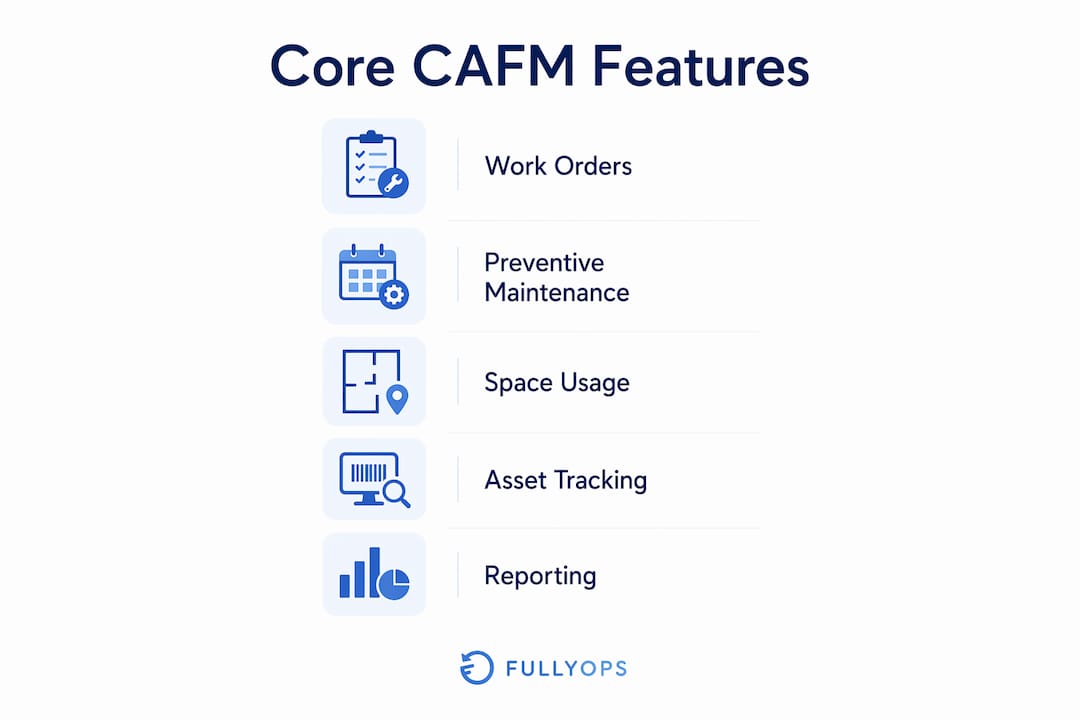
| CAFM feature | Problem it solves |
|---|---|
| Gestión de órdenes de trabajo | Reactive jobs get lost in email; no audit trail for compliance |
| Programación del mantenimiento preventivo | Unplanned failures caused by missed service intervals |
| Asset register and lifecycle tracking | No single record of asset age, warranty, or maintenance history |
| Space and occupancy management | Underused space driving unnecessary real estate cost |
| Mobile technician app | Technicians working from paper job sheets; slow status updates |
| Inventory and spares management | Delays caused by missing parts; uncontrolled stock spend |
| Integrations and APIs | Data siloed across BMS, ERP, and HR systems |
| Dashboards and analytics | No visibility of KPIs; decisions made without performance data |
| Compliance and audit records | Difficulty evidencing maintenance history during inspections |
Work order management is typically the highest-impact starting point. When jobs are logged, assigned, and closed in one system, the audit trail that UK health and safety requirements demand is built automatically. Preventive maintenance scheduling addresses the next biggest cost driver: unplanned failures that trigger emergency callouts and accelerate asset degradation.
Space and occupancy data tends to deliver the clearest financial return in office-heavy estates. Knowing which areas are consistently underused gives estates teams the evidence they need to consolidate space or renegotiate leases, rather than carrying excess capacity on assumption.
Consejo profesional: Start your CAFM rollout with work orders and preventive maintenance. These two modules deliver measurable results within the first quarter and build the data foundation that makes every other feature more useful.
How does CAFM differ from CMMS and IWMS?
The three terms are used interchangeably in procurement conversations, but they describe different scopes. Getting this distinction right before you issue an RFP saves considerable time.
Definitions at a glance:
- CAFM (Computer-Aided Facility Management): manages the full range of facility services, including space, workplace services, work orders, and asset records. Suited to organisations that need to coordinate people, places, and assets together.
- GMAO (Computerised Maintenance Management System): focuses specifically on maintenance and asset-centric workflows. Historically the choice for operations-led teams where maintenance scheduling and asset history are the primary need. CAFM and CMMS overlap but emphasise different workflows and audiences.
- IWMS (Integrated Workplace Management System): the broadest category, covering real estate portfolio management, lease administration, capital projects, and sustainability alongside facility and maintenance functions. Typically deployed by large organisations with complex real estate programmes.
| Dimension | CAFM | GMAO | IWMS |
|---|---|---|---|
| Primary use case | Facility services, space, work orders | Maintenance and asset management | Real estate, leases, capital projects, FM |
| Typical buyer | Facility manager, estates team | Maintenance manager, operations lead | Corporate real estate, FM director |
| Typical scale | Mid-size to large estates | Any size, asset-intensive operations | Large enterprise, multi-country portfolios |
Which should you evaluate first?
- Choose CAFM if your priority is coordinating facility services, space planning, and maintenance in one place
- Choose GMAO if maintenance scheduling and asset history are your sole focus and space management is not a current requirement
- Choose IWMS if you manage a complex real estate portfolio with lease obligations, capital projects, and sustainability reporting alongside day-to-day FM
For most UK facility managers running a single site or a small multi-site estate, CAFM or a modern CMMS with space management capabilities will cover the requirement. IWMS becomes relevant when corporate real estate strategy and FM need to share the same data model.
What operational benefits and ROI can UK organisations expect?
The business case for CAFM rests on five measurable outcomes: reduced unplanned downtime, lower reactive maintenance spend, extended asset life, improved compliance, and more efficient use of space.

Preventive maintenance scheduling directly reduces the frequency of unplanned failures. When service intervals are tracked and triggered automatically, assets run longer between faults and emergency callout costs fall. Organisations that move from predominantly reactive to predominantly planned maintenance typically see a material reduction in mean time to repair, because technicians arrive with the right parts and the right information rather than diagnosing from scratch on site.
Asset lifecycle tracking produces a different kind of saving. When the full maintenance history of a piece of plant is visible, replacement decisions are based on actual condition rather than age alone. That distinction matters for capital planning: replacing an asset five years early because the history is unavailable is a common and avoidable cost in estates that rely on spreadsheets.
Vendor materials from building automation specialists report that optimised building control can affect up to 80% of lifecycle costs for a facility. When CAFM integrates with BMS data, that optimisation extends to the maintenance and replacement decisions that CAFM governs. Modern BMS platforms incorporate advanced fault detection technologies, which feed early-warning signals directly into CAFM work order queues.
On the analytics side, reporting-driven approaches to facility management have been associated with efficiency gains of up to 30% when dashboards are used to identify recurring fault patterns and eliminate waste. For a UK estate spending a substantial amount per year on reactive maintenance, a meaningful reduction in reactive spend can represent a significant annual saving, before accounting for reduced asset replacement costs.
Space efficiency is the third financial lever. Occupancy data showing low utilisation gives the estates team a defensible case for consolidation. In high-rent UK locations, reclaiming even a modest amount of underused space can offset the cost of a CAFM licence within the first year.
How is CAFM deployed in the UK: timelines, costs, and technical considerations?
Most UK facility teams deploying CAFM in 2026 will choose a cloud SaaS model. It removes the need for on-premises infrastructure, supports mobile access across sites, and allows the vendor to handle security patching and uptime. Hybrid and on-premises options exist but are increasingly rare outside highly regulated environments with specific data residency requirements.
Typical deployment phases and durations:
| Phase | Activity | Typical duration |
|---|---|---|
| Discovery | Requirements gathering, system mapping, stakeholder alignment | 2–4 weeks |
| Data cleanse and migration | Asset register preparation, historical data import | 4–8 weeks |
| Pilot | Single site or department go-live, user feedback | 4–6 weeks |
| Phased rollout | Additional sites or modules, training | 6 weeks |
| Steady state | BAU operation, continuous improvement | Ongoing |
Data migration and integrations are consistently the largest cost drivers and the most common source of project delays. Asset registers held in spreadsheets often contain duplicates, missing fields, and inconsistent naming conventions. Cleaning this data before migration is unglamorous but critical.
Major cost drivers to budget for:
- Data cleanse and migration effort (internal time or professional services)
- Integration development with BMS, ERP, HR, and single sign-on (SSO) systems
- Licence tiers based on user count and module selection
- Mobile device rollout for field technicians
- Training for administrators, managers, and technicians
- Customisation and configuration of workflows
Budget ranges vary considerably by estate size and complexity. A small deployment covering a single site with a limited asset register might run from £5,000 to £20,000 in first-year costs including licences and setup. A medium multi-site deployment with BMS integration and ERP connectivity typically falls in the £20,000–£80,000 range. Large enterprise programmes with extensive data migration and custom integrations can exceed £150,000 in year one. These figures are illustrative; actual costs depend on vendor pricing, internal resource availability, and the state of existing data.
On the technical side, security, data residency, and enterprise integrations are non-negotiable procurement criteria for UK organisations. Check that any SaaS vendor can confirm UK or EU data residency, holds relevant certifications (ISO 27001 is the standard reference), and supports SSO via your existing identity provider. Cloud-based CAFM also supports remote oversight across multi-site UK estates, which is particularly valuable for operations teams managing geographically dispersed properties.
How to evaluate CAFM vendors: a procurement checklist
Shortlisting CAFM vendors without a structured evaluation framework tends to produce decisions driven by demo quality rather than operational fit. The checklist below gives you a repeatable basis for comparison.
Procurement checklist:
- Capability fit: Does the platform cover your must-have functions (work orders, preventive maintenance, asset register, mobile access)? Map features to your top three operational pain points before the demo.
- Integration readiness: Can the vendor demonstrate live integrations with your BMS, ERP, or HR system? Ask for API documentation and confirm whether integration is included or priced separately.
- Mobile offline capability: Field technicians in plant rooms and basements lose connectivity. Confirm whether the mobile app works offline and syncs when reconnected.
- Data migration support: Ask how the vendor handles asset register imports, what format they accept, and whether professional services are included or quoted separately.
- UK deployment evidence: Request references from UK organisations of comparable size and sector. A vendor with no UK deployments carries higher implementation risk.
- SLA and support model: Confirm response times for critical issues, support hours, and whether UK-based support is available.
- Training and onboarding: Ask what training is included in the licence and what is charged additionally. Poor onboarding is the single most common cause of low adoption.
- Total cost of ownership: Request a three-year cost model including licences, integrations, training, and support. First-year licence cost alone is rarely the full picture.
- Security and compliance: Confirm data residency, certifications, and how the vendor handles UK GDPR obligations.
- Scalability: If your estate grows or you add modules later, how does pricing scale? Avoid platforms that require a full re-implementation to add a site.
Key questions to ask during vendor demos:
- “Show us a live work order being created, assigned, and closed on a mobile device.”
- “How does your platform handle offline mobile use?”
- “What does your data migration process look like, and what do you need from us?”
- “Can you show us a dashboard that a facility manager would use daily?”
- “What does your UK customer support look like, and what are your SLA commitments?”
Running a short pilot before committing to an enterprise rollout is the most reliable way to validate assumptions. A four-to-six-week pilot on a single site or department will surface integration gaps, data quality issues, and user adoption barriers that no demo can reveal. Use the lista de comprobación para la gestión de instalaciones to run an internal readiness assessment before you begin vendor conversations.
Must-have vs nice-to-have: treat work orders, preventive maintenance, asset register, and mobile access as non-negotiable. Space management, advanced analytics, BMS integration, and custom reporting are high-value additions but can be phased in after go-live.
How Fullyops maps to CAFM requirements
Fullyops is a cloud SaaS platform built for organisations managing industrial, facility, and field service assets. Its core modules align directly with the CAFM capabilities described in this guide.
| CAFM capability | Fullyops feature |
|---|---|
| Gestión de órdenes de trabajo | Work order creation, assignment, tracking, and closure with real-time status |
| Programación del mantenimiento preventivo | Automated scheduling with technician notifications and completion records |
| Asset register and lifecycle | Asset tracking with full maintenance history and performance data |
| Inventory and spares | Inventory management with stock levels and parts consumption tracking |
| Mobile technician access | Mobile app for field technicians with job receipt, updates, and sign-off |
| Informes y análisis | Operational dashboards and performance analytics for managers |
| Integrations and APIs | API connectivity for BMS, ERP, and third-party systems |
| User roles and permissions | Separate access levels for technicians, administrators, and managers |
A typical Fullyops deployment in a UK facility context follows the phased approach described earlier. In practice, organisations commonly begin with work order management and preventive maintenance scheduling, achieve measurable reductions in reactive callouts within the first quarter, and then extend to inventory tracking and analytics in the subsequent phases. The tiered subscription model means teams can start with the modules they need and add capability as adoption matures.
Consejo profesional: Before your Fullyops demo, prepare a list of your five most frequent fault types and the assets they affect. Mapping these to the platform’s work order and scheduling features during the demo gives you a concrete, evidence-based evaluation rather than a generic feature walkthrough.
The feature overview on the Fullyops website provides a detailed module breakdown. Evaluate it against the objective checklist in the previous section rather than treating it as a standalone reference.
Principales conclusiones
CAFM delivers the greatest value when organisations match features to named operational problems rather than procuring on feature count alone.
| Punto | Detalles |
|---|---|
| CAFM vs CMMS vs IWMS | Choose CAFM for coordinated facility services; CMMS for pure maintenance focus; IWMS for enterprise real estate programmes. |
| Start with work orders and PMs | These two modules deliver measurable results fastest and build the data foundation for every other feature. |
| Data migration is the critical risk | Clean your asset register before migration; poor data quality is the most common cause of CAFM project delays. |
| Pilot before enterprise rollout | A 4–6 week single-site pilot surfaces integration gaps and adoption barriers that vendor demos cannot reveal. |
| Fullyops as a CAFM option | Fullyops covers core CAFM needs (work orders, preventive maintenance, asset tracking, analytics, APIs) via a tiered SaaS model suited to UK facility teams. |
The gap between CAFM promises and what actually determines success
Most CAFM conversations focus on features. The platform can do this, the dashboard shows that, the mobile app works offline. These things matter, but they are not what separates a successful deployment from a shelved one.
The real determinant is whether the people who are supposed to use the system actually do. Change management is consistently underinvested in CAFM projects. Organisations spend months selecting the right platform and weeks configuring it, then allocate two training sessions and assume adoption will follow. It rarely does. Technicians revert to phone calls. Managers stop checking dashboards. The asset register drifts out of date.
The practical fix is to identify two or three internal champions before go-live: people who will use the system daily, report problems early, and advocate for it with their colleagues. Measure adoption explicitly in the first 90 days, not just job completion rates. If a module is not being used, find out why before assuming the platform is the problem. Often the barrier is a workflow mismatch or a training gap, both of which are fixable without changing the software.
Embedding CAFM in daily workflows also means connecting it to the conversations that already happen. If the weekly operations meeting reviews reactive callout volumes, pull that data from the CAFM dashboard rather than a separate spreadsheet. The system becomes indispensable when it is the source of record for decisions that matter.
Fullyops: CAFM-ready SaaS for UK facility and operations teams
Facility teams that have worked through this guide and recognise the need for structured work order management, preventive maintenance scheduling, and asset visibility have a clear next step. Fullyops delivers exactly those capabilities in a cloud SaaS model with no on-premises infrastructure required.
Where many platforms require lengthy enterprise contracts before you can test the fit, Fullyops offers a tiered subscription with role-based access for technicians, administrators, and managers, so you pay for what your team actually needs. The gestión de órdenes de trabajo module and preventive maintenance scheduling are available from day one, with inventory tracking, analytics, and API integrations available as your adoption grows.
For operations teams ready to move from evaluation to action, the tutorial de asignación de recursos is a practical starting point for planning your asset management approach. To see the platform against your specific requirements, request a demo directly at fullyops.com.
Useful sources and further reading
- Health and Safety Executive (HSE): UK regulatory guidance relevant to maintenance obligations and contractor management in facility operations.
- Gartner Peer Insights: Facility Management Software: Peer reviews of facility management platforms; useful for comparing user experience across vendors.
- IFMA (International Facility Management Association): The leading professional body for facility management; publishes standards, research, and competency frameworks relevant to CAFM adoption.
- Wikipedia: Computer-Aided Facility Management: A reliable reference for the definition and scope of CAFM, including distinctions from CMMS and IWMS.
- Fullyops Reporting and Efficiency Resource: Practical guidance on how reporting and dashboards drive measurable efficiency improvements in facility operations.
- Australian Government: Building Management Systems: Clear technical explanation of BMS scope and how it integrates with facility management systems.
PREGUNTAS FRECUENTES
What is computer-aided facility management?
Computer-aided facility management (CAFM) is software that centralises facility information and supports facility management through tools such as asset registers, work order management, space planning, and maintenance scheduling. It helps facility managers and operations teams coordinate people, assets, and services from a single platform.
What is the difference between CAFM and CMMS?
CAFM covers the full range of facility services including space management, workplace services, and work orders, while CMMS focuses specifically on maintenance and asset-centric workflows. The two overlap, but CAFM is the broader category suited to teams that need to manage both space and maintenance together.
What is an example of CAFM in practice?
A typical example is a facilities team using CAFM to log a fault report, automatically dispatch a technician via a mobile app, record the completed repair against the asset history, and trigger the next scheduled service interval, all within one system. Fullyops supports this end-to-end workflow through its work order, scheduling, and asset tracking modules.
How long does a CAFM implementation typically take?
A phased cloud SaaS deployment typically runs several months from discovery to steady state, with data migration and integration development accounting for the largest share of that time. A single-site pilot can be live within a few months if the asset register is in reasonable condition.
What should UK facility managers prioritise when selecting CAFM software?
Prioritise capability fit for your top three pain points, confirmed UK deployment references, mobile offline functionality, clear data migration support, and a transparent three-year total cost of ownership. Security certifications (ISO 27001) and UK or EU data residency are non-negotiable for most UK organisations.