

The fastest route to a reliable maintenance inventory is scoping it before you touch a spreadsheet: pick the assets or stockrooms in play, agree the minimal data fields with your team, and freeze that list before counting anything. Everything else, from labelling to reorder points, builds on that first decision. Get the scope wrong and every count after it inherits the error.
En resumen:
- Properly scoping maintenance inventory before counting ensures accurate records and prevents inherited errors in subsequent counts.
- Using a hybrid coding system with flat SKUs for consumables and hierarchical codes for fixed assets improves tracking flexibility and accuracy.
- Implementing cycle counting for high-turnover or critical parts helps catch discrepancies early without halting operations.
- Automating reorder points based on demand variability and lead times reduces emergency purchases and unplanned downtime.
- Pilot projects in one stockroom or asset class with mobile scanning can accelerate implementation and improve overall inventory reliability.
Índice
- What is a maintenance inventory and what should it track?
- How do you code, label and count inventory accurately?
- Which tools and templates work for tracking inventory?
- How should inventory data drive reorder points and KPIs?
- How often should you audit and retire obsolete stock?
- How does this map onto a platform like FullyOps?
- Common traps and the one shortcut that actually works
- How FullyOps turns this checklist into a working system
- Sources
- PREGUNTAS FRECUENTES
What is a maintenance inventory and what should it track?
A maintenance inventory is the structured record of every spare part, tool, consumable, and capital asset your team draws on to keep equipment running, tied to the data needed to locate, order, and audit it. Get the field list wrong at the outset and you spend the next twelve months chasing missing warranty dates and mystery part numbers.
The minimal dataset that most maintenance teams settle on includes:
- Unique ID — an internal code that never gets reassigned, even after disposal
- Serial number and model — manufacturer-issued identifiers for warranty claims and recalls
- Manufacturer and supplier — who made it and who you reorder from
- Purchase date and warranty or contract terms — critical for deciding repair versus replace
- Location — down to the shelf or bin, not just the site
- Assigned technician or owner — who is accountable when it goes missing
- Criticality rating — how much downtime results if this item is unavailable
Not every item needs the full set. Consumables like filters or lubricants need stock levels and reorder points more than serial numbers. Spare parts need supplier and lead time data front and centre. Tools need an assigned owner and a condition log, while capital assets need full lifecycle and depreciation tracking, echoed in the fields recommended for machine and equipment inventories, which also require a mapping to floor plans for safety compliance. Every record should also link back to the work orders that consumed it and the purchase order that replenished it, otherwise your inventory and your procurement history drift apart within months.
How do you code, label and count inventory accurately?
Choosing an identification scheme comes before buying a single label. A hierarchical asset code (site.area.line.item) gives instant context when you scan a tag, but it breaks if you ever restructure a facility. A flat SKU system is simpler to maintain and easier to migrate between systems, though it tells you nothing about location without a lookup. Most maintenance teams land on a hybrid: flat SKUs for consumables and spares, hierarchical codes for fixed assets and machinery.
Barcodes work well in clean office or warehouse environments; QR codes hold more data and tolerate minor damage; RFID tags survive dirt, grease, and moisture better than either, making them the practical choice for shop floors and outdoor plant. Whichever you choose, label the storage location before you label the item.
- Freeze the count window. Choose a low-movement period, a night shift, a weekend, or a planned production stop, so nothing moves mid-count.
- Pre-label every bin and shelf with a fixed location code so items can be reconciled the moment they’re scanned, a step audit guidance treats as non-negotiable for accuracy.
- Run double counts on high-value or high-discrepancy categories, using two people working independently.
- Resolve discrepancies immediately, tagging the cause (miscount, theft, unrecorded consumption) rather than just correcting the number.
- Switch high-turn items to cycle counting so fast-moving consumables get checked monthly without freezing the entire store.
Consejo profesional: Count your highest-criticality spares first, while your team’s attention and the stockroom’s physical state are both at their best.
Which tools and templates work for tracking inventory?
A spreadsheet is genuinely enough for a single site with a few hundred items. Structure your CSV with one row per unique ID and columns matching your minimal dataset, then keep a locked “master” tab separate from the working copy technicians update daily. Ready-made structures exist if you don’t want to build from scratch: Smartsheet’s equipment inventory templates already include ID, location, condition, last maintenance date, and depreciation fields, which suits small or distributed teams well.
Spreadsheets stop scaling once you have multiple sites, technicians updating records from the field, or spares tied to preventive schedules. That’s the point to move to a CMMS or field service management platform. Before you commit, require:
- Mobile capture that works offline in low-signal plant areas
- Native barcode or RFID scanning, not a bolt-on
- An API for connecting procurement or ERP systems
- Role-based access so technicians see what they need without editing master records
Automated discovery tools can scan networks or hardware fleets and populate structural data fast, but they can’t guess your supplier contract terms or who’s responsible for a tool. Combining automated scans with manual validation catches both the structural detail and the business context a spreadsheet import alone would miss.
Consejo profesional: Import your first CSV in small batches by category rather than all at once. It’s far easier to spot a formatting error in 50 rows than in 5,000.
How should inventory data drive reorder points and KPIs?
An inventory that just sits there recording quantities is only half useful. The real value comes from linking stock levels to reorder logic and preventive maintenance planning, so a low-stock spare never turns into an unplanned shutdown.
Reorder point calculations for MRO items should account for supplier lead time and demand variability, not just average usage. A part with a six-week lead time and inconsistent failure patterns needs a bigger safety stock buffer than a same-day consumable. Tag your critical spares explicitly, linking each one to the asset it serves and that asset’s MTTR target, so anyone reviewing stock levels understands the downtime risk behind a shortage.
Track a small set of KPIs consistently rather than a large set sporadically:
- Stockout rate — how often a needed item wasn’t available
- Stock accuracy — system count versus physical count, checked at every cycle count
- Days of cover — how long current stock lasts at typical usage
- Inventory turnover — how often stock is used and replenished per period
Optimising MRO inventory has been shown to reduce maintenance costs and improve uptime in managed industrial programmes. A simple rule that prevents most emergency purchases: if a critical spare’s stock falls below the reorder point and lead time exceeds your MTTR target, trigger an automatic purchase order the same day, not at the next scheduled review.
How often should you audit and retire obsolete stock?
Audit cadence depends on how fast your stock turns and how much a stockout would cost you. A full annual count works for stable, low-turnover stores; high-turnover consumables and critical spares need monthly or quarterly cycle counts instead, since cycle counting catches discrepancies before they compound without shutting down the whole store for a full recount.
- Set your cadence by criticality, not by calendar convenience: cycle count critical spares monthly, everything else quarterly or annually.
- Flag obsolescence early. An item unused for longer than its typical replacement cycle should be quarantined, not left on the shelf consuming space and budget.
- Decide dispose or recondition based on remaining functional life and current market cost of a replacement.
- Feed every audit outcome back into procurement and reliability planning, so a pattern of shortages or write-offs actually changes future ordering, not just this quarter’s count.
How does this map onto a platform like FullyOps?
Every step above translates directly into system configuration. Start by scoping the assets and stockrooms you’ll manage, then define your fields and import a baseline CSV rather than entering records one by one.
- Assign unique IDs and locations during import, matching the coding scheme you settled on
- Enable mobile scanning and pick label types (barcode, QR, RFID) suited to your environment
- Configure reorder points per item and link spares directly to the assets they serve
- Schedule cycle counts by criticality tier and build KPI dashboards for stock accuracy and stockouts
- Automate procurement triggers so a breach of the reorder point raises a purchase order without manual review
Consejo profesional: Configure one criticality tier at a time. Getting your most important spares right before touching consumables keeps the rollout manageable.
Common traps and the one shortcut that actually works
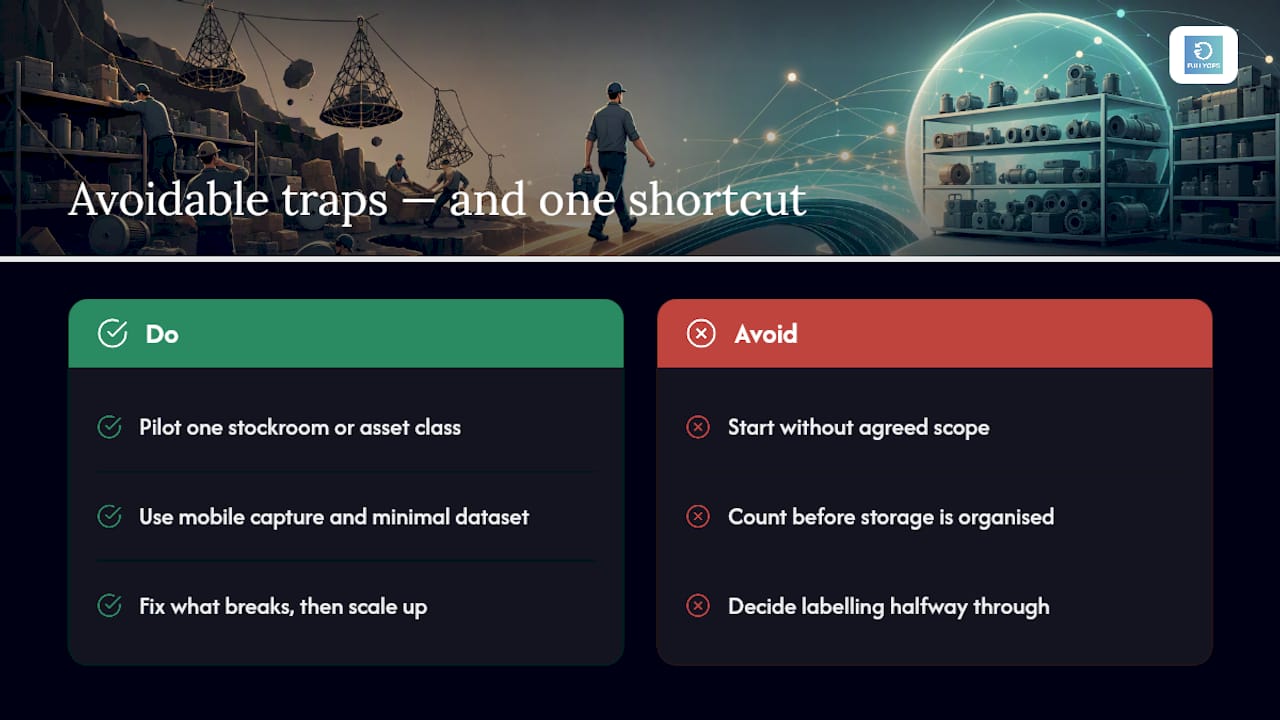
The maintenance inventories that fail almost always fail at the same three points: nobody agreed the scope before counting started, storage wasn’t organised or labelled before the physical count, or the labelling scheme was decided halfway through instead of before day one. Each of those turns a two-week project into a six-month one.
If there’s a single high-impact shortcut worth taking, it’s this: don’t try to inventory everything at once. Pilot one stockroom or one asset class with mobile capture and the minimal dataset, fix what breaks, then scale. It’s slower on day one and considerably faster by month three.
— Pedro
How FullyOps turns this checklist into a working system
Fullyops is built to take you from the checklist above to a working inventory without a lengthy migration project. It supports CSV import templates for your baseline count, native mobile scanning for barcode and RFID workflows, configurable reorder rules tied to asset criticality, and dashboards for the stock accuracy and stockout KPIs covered earlier, all connected to the gestión de órdenes de trabajo your technicians already use.

Rather than rolling out across every site at once, pick one location, pilot the inventory workflow over 60 to 90 days, and measure stock accuracy and stockout rates before scaling further. That timeframe gives you enough cycle counts to know whether your fields, labels, and reorder points actually hold up in practice. If you want to see how the field service management tools handle mobile capture and reorder automation, book a demo and bring one real stockroom’s data to test it against.
Sources
For deeper detail beyond this guide: Protec’s machine inventory checklist covers regulatory and safety field requirements, Engenharia Adequada’s audit guide walks through frozen counting periods step by step, and Smartsheet’s templates give you a ready structure if you’re starting from a blank sheet. For tracking repair history alongside stock, see this partner guide on maintenance history tracking.
- Inventário de máquinas e equipamentos: veja como fazer!
- Inventário de equipamentos: obrigatoriedade e como fazer, com exemplo – Engenharia Adequada
- Como fazer um inventário de hardware e equipamentos de TI — oHub Base TI
- Serviços gerenciados de reparo e inventário industriais | Rockwell Automation
- Equipment inventory templates — Smartsheet (Portuguese)
PREGUNTAS FRECUENTES
What Fields Are Essential in a Maintenance Inventory?
At minimum, track unique ID, serial number, manufacturer, model, supplier, purchase date, warranty terms, location, assigned owner, and a criticality rating.
How Often Should You Physically Count Maintenance Stock?
Cycle count critical and high-turnover items monthly or quarterly, and reserve full counts for stable, low-turnover stockrooms once a year.
Should I Use a Spreadsheet or a CMMS for Inventory?
A spreadsheet works for a single site with a few hundred items; once you have multiple sites or field technicians, a platform like Fullyops with mobile scanning and reorder automation becomes worth the switch.
What Is a Reorder Point in Maintenance Inventory?
It’s the stock level that triggers a new purchase order, calculated from supplier lead time and how variable demand for that part is.
How Do You Handle Obsolete Spare Parts?
Flag items unused beyond their typical replacement cycle, quarantine them, then decide between disposal and reconditioning based on remaining functional life.
Recomendado
- Dominar la creación de programas de mantenimiento para activos fiables
- Gestión del ciclo de vida de los activos
- Guía de flujos de trabajo de mantenimiento de activos para una eficiencia óptima
- Optimización del mantenimiento en 2026: reducir el tiempo de inactividad en 30%