

Choose an integrated CMMS/FSM platform, not a patchwork of spreadsheets and standalone apps: it centralises assets, preventive schedules and field work orders in one record, and it lets you run a fast pilot against measurable KPIs before committing. This is a directly relevant option for industrial, facility and automotive operations evaluating maintenance providers right now. Shortlist two or three candidates, run a focused trial against your own KPIs, and decide within weeks, not quarters.
TL;DR:
- A hybrid CMMS and FSM platform is essential for mid-sized operations managing both fixed assets and mobile teams, enabling faster pilot testing and decision-making.
- When evaluating vendors, prioritize those offering real-work order creation, offline mobile functionality, and seamless integration with existing ERP or inventory systems.
- Running a six- to eight-week pilot at a single site with real assets and mobile tests uncovers practical issues, especially mobile usability in challenging conditions.
- Confirm the platform provides detailed reports on KPIs such as mean time to repair, backlog volume, and technician utilization, and ensures data ownership and export options.
- Avoid vendors lacking pre-built connectors, offline mobile modes, or proven case studies in similar industrial contexts, and insist on testing real scenarios during demos.
Table of Contents
- What is the difference between CMMS and FSM software?
- How do you evaluate and shortlist maintenance software vendors?
- How do you run a maintenance software pilot without disrupting operations?
- What technical features and reports should a maintenance platform provide?
- Pedro’s perspective: what pilots actually reveal
- How Fullyops fits the checklist above
- Sources
- FAQ
What is the difference between CMMS and FSM software?
A CMMS (computerised maintenance management system) is built around the asset register: it tracks equipment history, schedules preventive work and keeps a running log of every work order raised against a machine or facility. An FSM (field service management) platform is built around the technician: it handles dispatch, mobile confirmations, service-level agreements and proof of visit for people working away from a fixed base.
The overlap matters more than the labels. Many operations need both functions in one place, and CMMS is frequently the central maintenance database while FSM prioritises scheduling and proof of service, which is why hybrid platforms now dominate the market for mid-sized and enterprise buyers alike.
Deciding which to prioritise depends on where your operational pain actually sits:
- Choose CMMS-first if your priority is asset history, spare-parts control and preventive scheduling across fixed equipment or facilities.
- Choose FSM-first if your technicians spend most of their time travelling between sites and you need dispatch, routing and client sign-off.
- Choose a hybrid platform if you manage both fixed assets and mobile teams, which describes most industrial and facility maintenance operations today.
- Watch the trade-off: entry-level field apps are cheap and quick to deploy but often lack a proper asset register, while enterprise platforms can carry full asset lifecycle depth that a smaller operation may not need for years.
Understanding this distinction before you take a single demo call saves weeks of comparing tools that were never built to solve the same problem.
How do you evaluate and shortlist maintenance software vendors?
A structured checklist beats a gut feeling, especially when three sales teams are all promising the same outcome. Score each vendor against four categories before you let a single demo sway the decision.
- Core feature fit. Confirm the work-order lifecycle (raise, assign, complete, close), configurable asset registry fields, preventive scheduling logic, spare-parts inventory tracking, mobile forms, offline mode, and photo or attachment capture on every work order.
- Integration and data ownership. Ask exactly which APIs and webhooks are available, whether ERP or inventory connectors exist out of the box, and whether the platform accepts IoT sensor inputs if your assets are instrumented. Pre-built integrations and webhooks reduce manual entry and keep records accurate, so treat a vendor that can only offer CSV exports as a warning sign, not a minor gap.
- Operational criteria. Check onboarding timelines, support response SLAs, security certifications, and how granular role permissions are for technicians versus admins versus managers.
- Commercial criteria. Compare subscription versus per-seat pricing, confirm trial or demo availability, and read the contract for minimum terms before you sign anything.
Pro Tip: During a demo, insist on creating three real work orders from your own asset list rather than watching the vendor’s rehearsed walkthrough. Test mobile completion on an actual phone, run one preventive schedule end-to-end, and ask to export a basic KPI report on the spot. Vendors that recommend running real scenarios instead of passive demos are usually confident their platform holds up under scrutiny, which tells you something the sales deck cannot.
Ask every shortlisted vendor for case studies from a similar industrial context before the final round. A vendor with no comparable reference is either new to your sector or has quietly avoided it. For a deeper look at scoring criteria, this guide to choosing maintenance management software covers three aspects worth weighing before you sign.
How do you run a maintenance software pilot without disrupting operations?
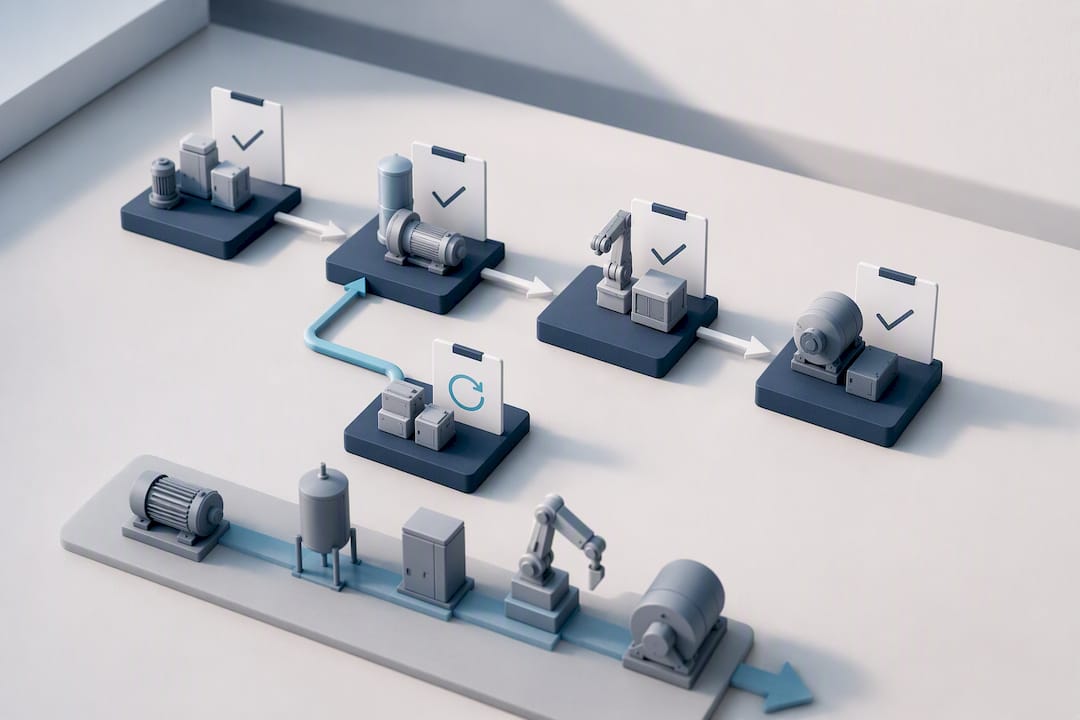
Start small. A site-limited pilot that proves specific KPIs before scaling is far less risky than a company-wide rollout with no evidence it will work. Pick one site, or between 50 and 250 assets, and run the pilot with one or two technician teams over six to eight weeks. That window is long enough to complete a full preventive cycle but short enough to keep momentum.
Before day one, get the data groundwork right:
- Export a sample asset list and classify parts so the register isn’t built from guesswork.
- Prepare historical work orders as reference data, even if only a rough summary.
- Assign one administrator and a small group of super-users who will own the pilot day-to-day.
- Build the checklists and mobile templates your technicians will actually use in the field.
- Define success KPIs upfront: equipment uptime, work-order completion rate, and mean time to repair.
Adopting a CMMS alongside mobile capture and automated workflows tends to bring measurable gains in reduced downtime and tighter spare-part control, but only if you set those baseline numbers before the pilot starts, not after. Map essential fields to your ERP or inventory system and set up webhooks or a simple CSV import for the pilot phase rather than a full integration on day one. Agree acceptance criteria with stakeholders in advance, and plan a rollout cadence, site by site, once the pilot clears its KPIs. A practical work order management process is worth reviewing at this stage to keep the pilot’s workflow realistic.
What technical features and reports should a maintenance platform provide?
The demo will look polished regardless of vendor. What separates a platform that works in practice from one that looks good on a screen is the technical detail underneath.
Integration requirements come first. Confirm the platform connects to your ERP for parts and purchasing, to procurement and inventory systems, to single sign-on if your IT policy requires it, and to IoT feeds if any of your assets already report sensor data. Recommendations on evaluating field service software place integrations at the centre of the decision, ahead of interface polish.
Mobile capture needs specific checks, not a general impression:
- Offline operation that syncs cleanly once a technician regains signal.
- Photo and signature capture attached directly to the work order.
- Quick checklists that don’t require ten taps to log a simple task.
- Automatic timestamps on every field entry for audit purposes.
Structured field data capture, including checklists, photos and signatures, feeding automatically into the central system removes the manual re-entry that quietly wastes hours every week. On reporting, demand dashboards covering mean time to repair, mean time between failures, backlog volume, the ratio of planned to reactive work, and technician utilisation. Finally, confirm data ownership: ask what export formats are supported and how long historical records are retained if you ever switch providers.
Pedro’s perspective: what pilots actually reveal
Most pilots fail for the same two reasons: fragmented tools that never talk to each other, and skipping the mobile acceptance test until it’s too late to fix cheaply. I’ve seen operations teams sign off a CMMS on desktop demos alone, only to discover in week three that technicians can’t complete a work order offline in a basement with no signal.
The fix is simple and rarely followed: test the mobile app in the worst conditions your technicians actually face, not the best ones. Effective CMMS adoption depends on how features get used day to day, not on how many features the vendor lists. One facilities team I’ve heard discussed at length cut its reactive-to-planned work ratio meaningfully within a single quarter, simply by forcing every technician through the mobile workflow before the pilot was declared a success.
— Pedro
How Fullyops fits the checklist above
The platform was built around a configurable work-order lifecycle, preventive scheduling tied to an asset register, inventory tracking for spare parts, and reporting on MTTR, backlog, and planned-versus-reactive ratios without a manual export. For teams managing industrial, facility, or automotive assets, the platform provides separate views for different roles, supporting role-based permissions.
The platform offers multiple plans with varying functionality to suit different operation sizes. Every plan includes the preventive maintenance and field service management foundations covered above, with integrations available to connect your existing ERP or inventory systems.
Current pricing details sit on the Fullyops plans page, where you can also book a demo and start the six to eight week pilot structure outlined earlier. If you’re ready to run the three-work-order test from the checklist above, that’s the next step.
Sources
- Como escolher o software de gestão de serviços de campo (FSM) certo para sua empresa – ManageEngine Blog
- Tipos de Software de Manutenção: CMMS, EAM e outras soluções (ERP, CRM) | Engeman®
- Como digitalizar as intervenções de manutenção – Kizeo Forms
FAQ
What Is the Difference Between CMMS and FSM Software?
A CMMS centres on the asset register, work-order history and preventive scheduling, while FSM centres on technician dispatch and mobile proof of service. Most industrial operations now need a hybrid platform that covers both, such as Fullyops.
How Long Does a Maintenance Software Pilot Usually Take?
A focused pilot on one site or between 50 and 250 assets typically runs for six to eight weeks, long enough to complete a full preventive cycle. Success is measured against KPIs like uptime, completion rate and mean time to repair set before the pilot begins.
What Should You Test During a Vendor Demo?
Create three real work orders from your own asset list, complete one on mobile, run a preventive schedule, and export a basic KPI report. Testing real scenarios rather than watching a guided tour reveals far more than a polished sales walkthrough.
How Much Does Fullyops Cost?
Fullyops offers three plans, Basic, Professional and Advanced, with current pricing available on the Fullyops website. Plan choice depends on the number of users and the depth of features your operation needs.
What Are Common Red Flags When Choosing a Maintenance Provider?
Watch for vendors with no pre-built integrations or API access, no offline mobile mode, and no case studies from a comparable industrial context. A vendor that avoids hands-on testing during the demo, insisting on a scripted walkthrough instead, is usually hiding a gap somewhere in the product.
Recommended
- Top 4 Maintenance Tracking Tools for Industrial Teams 2026
- Top 4 maintenance software for industrial companies 2026
- CMMS ERP Integration in 4–8 Weeks for Maintenance Teams
- Maintenance Optimization in 2026: Cut Downtime by 30%