

TL;DR:
- Fullyops is the best starting platform for UK facility managers seeking unified work orders, assets, and analytics. Its cloud-based system scales with team size and integrates maintenance workflows, reducing tool sprawl and supporting preventive strategies. Larger organizations with complex needs may prefer enterprise platforms or specialized apps tailored to specific disciplines.
For UK facility managers who need a single platform to unify work orders, assets and analytics, Fullyops is the strongest starting choice. Its cloud-based feature set covers work-order management, a unified asset register, preventive maintenance scheduling, inventory tracking and operations analytics in one subscription, with no need to stitch together separate tools.
Quick shortlist:
- Fullyops — best for mid-market and growing UK facility teams needing unified work orders, asset lifecycle management and analytics in a single cloud platform
- Enterprise platform (e.g. IBM TRIRIGA, Planon) — best for large organisations with complex real-estate portfolios, global ERP integration requirements and dedicated IT resource
- Mid-market CMMS (e.g. FMX) — best for teams that need structured maintenance scheduling with a lighter configuration burden
- Niche FM app — best for single-discipline operations (cleaning schedules, pest control compliance) where a specialist tool covers the entire workflow
Very large estates requiring deep ERP integration or global multi-site governance may find an enterprise platform better suited to their scale. Equally, teams with fewer than five technicians and a limited asset count may prefer a lower-cost or open-source tool while they build the case for a full deployment.
Table of Contents
- How does facility maintenance software compare at a glance?
- Vendor profiles: what each platform actually delivers
- How do you choose the right facility management solution?
- What are the key CMMS and FMS features you actually need?
- What does implementation actually cost and how long does it take?
- How this shortlist was produced
- Why predictive maintenance delivers the biggest cost saving
- Side-by-side comparison of shortlisted vendors
- Per-vendor profile: features, pros, cons and who it’s best for
- What is the total cost of ownership for facility maintenance software?
- Does facility maintenance software meet UK compliance requirements?
- Key takeaways
- Why Fullyops is the right choice for most UK facility teams
- Fullyops: the practical choice for UK facility and maintenance teams
- Useful sources
- FAQ
How does facility maintenance software compare at a glance?
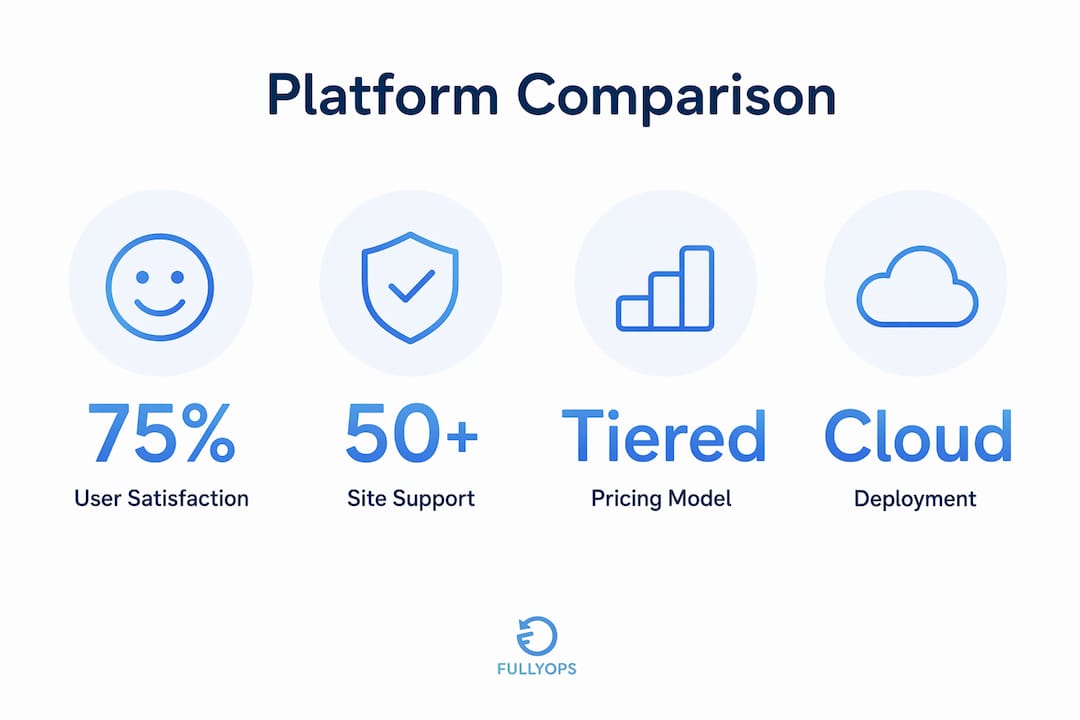
The table below contrasts Fullyops against three generic platform categories on the dimensions that matter most during procurement.
| Fullyops | Enterprise platform | Mid-market CMMS | Niche FM app | |
|---|---|---|---|---|
| Best for / ideal use case | Mid-market UK facility and industrial teams needing unified asset + work-order + analytics | Large multi-site estates with ERP and real-estate portfolio management | Teams prioritising structured preventive maintenance with lighter setup | Single-discipline teams (cleaning, pest, vehicle workshop) |
| Deployment | Cloud (SaaS) | Cloud, hybrid or on-premise | Cloud or on-premise | Cloud or desktop |
| Pricing model | Tiered subscription by user role (technician / admin / manager) | Per-user or AppPoints credit model; high upfront licence cost | Per-user or per-asset tiered subscription | Per-location flat fee or freemium |
| Key features | Work orders, asset register, preventive schedules, inventory, mobile, integrations, analytics | AI-driven asset performance, space/lease management, reliability workflows | Work-order management, PM scheduling, basic reporting | Scheduling, checklists, invoicing or compliance-specific workflows |
| UK availability & local support | Available in UK; support in English | Available in UK; enterprise support contracts | Available in UK; community or vendor support | Varies; some tools have no UK-specific support |
| Scale suited to | SMB to mid-market | Mid-market to enterprise | SMB to mid-market | SMB or single-site |
Pros and cons by category:
- Fullyops: unified platform reduces tool sprawl and duplicate records; tiered pricing scales with team size. Configuration requires an initial data-migration effort.
- Enterprise platform: unmatched depth for complex portfolios and AI-driven reliability; high total cost and long implementation timelines make it unsuitable for most SMBs.
- Mid-market CMMS: faster to configure than enterprise tools; may lack advanced analytics or deep API integrations needed at scale.
- Niche FM app: purpose-built for one discipline, so it excels in that area; poor fit when a team needs cross-asset visibility or multi-department coordination.
Vendor profiles: what each platform actually delivers
Fullyops
Fullyops is a cloud-based asset and field-service management platform built for companies managing industrial, facility, electronic or automotive assets. Its work-order management process sits at the centre of the platform: technicians receive, update and close jobs from a mobile interface, while managers track status, time logged and parts consumed in real time.
Core features:
- Work-order creation, assignment and tracking with role-based access for technicians, admins and managers
- Unified asset register with asset hierarchy, service history and lifecycle tracking
- Preventive maintenance scheduling with automated triggers (calendar-based or condition-based)
- Inventory and spares management linked directly to work orders
- Operations analytics and dashboards for KPI tracking and technician productivity
- API integrations with ERP and third-party systems
- Mobile app for field technicians, including offline capability
Pricing shape: tiered SaaS subscription based on user role and feature level, billed monthly or annually. Exact pricing is available on request via a product demo.
UK availability: fully available in the UK; platform and support are in English.

Who should choose Fullyops: facility managers at mid-market organisations who need a single source of truth for assets and maintenance, want to move from reactive to preventive or predictive maintenance, and require reporting that connects operational data to management decisions.
Pro Tip: Before your demo, map your asset hierarchy and agree on a naming convention. A clear asset structure in the register is the single governance step that most reduces work-order duplication and improves reporting accuracy from day one.
Enterprise platforms (IBM TRIRIGA, Planon)
Enterprise platforms such as IBM Maximo and Planon are designed for organisations managing large, complex estates. IBM Maximo Application Suite, for example, combines maintenance execution, AI-driven asset performance management, space utilisation, lease administration and capital planning in one environment. Planon similarly targets corporate real-estate and FM teams that need space management alongside maintenance.
Typical pricing model: IBM Maximo uses an AppPoints credit-based licensing model; Planon uses a per-user subscription. Both carry significant upfront configuration and professional-services costs.
Deployment: cloud (SaaS), hybrid or client-managed on-premise.
Who should choose this: organisations with 50+ sites, dedicated IT and FM teams, and a need for deep ERP integration or real-estate portfolio management. Not a practical choice for teams without internal implementation resource.
UK availability: both platforms are available in the UK with enterprise support contracts.
Mid-market CMMS (e.g. FMX)
Mid-market computerised maintenance management systems (CMMS) focus on structured maintenance scheduling and work-order management with a lighter configuration burden than enterprise platforms. They suit teams that need to move off spreadsheets quickly and establish a preventive maintenance programme without a lengthy implementation project.

Typical pricing model: per-user or per-asset tiered subscription; generally lower entry cost than enterprise tools.
Deployment: predominantly cloud-based.
Who should choose this: facilities teams at schools, leisure centres or light-industrial sites where the primary need is a PM schedule and basic work-order tracking, and where advanced analytics or deep integrations are not yet a priority.
UK availability: most mid-market CMMS tools are available in the UK, though local support quality varies.
Niche FM apps
Specialist tools cover single disciplines: customisable cleaning schedules, pest control compliance workflows, or vehicle workshop management. These tools excel within their domain but do not provide cross-asset visibility. A vehicle workshop platform, for instance, prioritises invoicing, MOT reminders and customer communication rather than enterprise asset management. Similarly, pest control and sanitation workflows in medical or food environments require checklist-driven processes that a general CMMS may not handle natively.
Who should choose this: single-discipline teams or contractors where one workflow dominates and cross-department asset tracking is not required.
UK availability: varies significantly; some tools have no UK-specific support or data residency options.
How do you choose the right facility management solution?
Selection checklist
Work through these criteria before shortlisting any platform:
- Asset model fit — does the platform support your asset hierarchy (buildings, plant, equipment, vehicles) and allow custom attributes?
- Integration requirements — which ERP, IoT, BMS or finance systems must connect, and does the vendor provide a documented API?
- Mobile and offline capability — can technicians raise and close work orders without a live connection on site?
- Reporting and analytics — does the platform produce the KPIs your management team needs (MTTR, asset uptime, cost per work order)?
- Scalability — will the pricing and data model hold up if you double your asset count or add sites?
- Data ownership and export — can you extract your full asset and work-order history in a standard format at any time?
- Security and compliance — does the vendor confirm GDPR-compliant data residency in the UK or EEA, role-based access controls and audit trails?
- UK support — is there a support team available during UK business hours, and what are the SLA commitments?
Questions to ask during a demo
- Where is data hosted, and can you confirm UK or EEA residency?
- What does the onboarding process look like, and who owns data migration?
- What is the SLA for critical support tickets?
- How are API rate limits and integration fees structured?
- Can you show a case study from a UK facility team of similar size?
- What does a data export look like, and how long does it take?
Red flags that should stop a shortlist candidate
- Pricing is unclear or changes significantly after the demo
- The vendor cannot demonstrate the product with realistic data
- No UK-based or English-language support is available
- API documentation is absent or restricted to enterprise tiers
- The vendor cannot provide a reference customer in a comparable sector
- Data export requires a professional-services engagement
What are the key CMMS and FMS features you actually need?
A CMMS (computerised maintenance management system) focuses on maintenance execution: work orders, PM schedules, asset history and technician workflows. An FMS (facility management system) extends that to broader concerns such as space utilisation, lease administration and energy management. Most UK facility teams need CMMS-first functionality; the FMS layer becomes relevant when real-estate and space management are also in scope.
Work-order management is the operational core. A structured work-order process captures every intervention, links it to an asset, records parts and labour, and closes with a timestamped audit trail. Without it, reactive repairs go untracked and costs are invisible.
Preventive maintenance scheduling moves teams from break-fix to planned interventions. Calendar-based triggers handle routine tasks; condition-based triggers fire when a sensor reading or meter value crosses a threshold. Both approaches reduce emergency repair frequency. Reviewing your preventive maintenance steps before configuring schedules helps avoid over-scheduling low-risk assets.
Asset register is the foundation everything else depends on. A clear asset hierarchy with consistent naming conventions reduces duplicate records and makes reporting reliable. Industry experience shows this is the single governance step that most improves work-order accuracy from the outset.
Inventory and spares management linked to work orders prevents parts shortages from delaying repairs and gives procurement teams visibility of consumption patterns.
Mobile and offline field app — technicians working in plant rooms, car parks or remote sites need to raise, update and close jobs without relying on a Wi-Fi connection. Offline sync capability is a practical requirement, not a premium feature.
Integrations (ERP and IoT) connect maintenance data to finance systems and sensor networks. ERP integration ensures that purchase orders, cost centres and asset depreciation stay synchronised. IoT integration enables condition-based maintenance by feeding live sensor data into the platform.
Analytics and dashboards convert work-order and asset data into decisions. Operations analytics help managers track mean time to repair (MTTR), asset availability, technician utilisation and cost per intervention, turning raw activity data into prioritised action.
Condition-based and predictive maintenance use sensor or meter data to trigger interventions only when needed, rather than on fixed schedules. This approach prevents failures that a calendar-based PM would miss entirely.
Pro Tip: For UK operations in healthcare, hospitality or food production, map your compliance obligations (CQC, food hygiene ratings, HSE requirements) to specific work-order types and recurring schedules before you configure the platform. Checklist-driven workflows for pest control and sanitation, for example, create the audit trail regulators expect.
Statistic callout: Predictive maintenance enables condition-based interventions rather than reactive repairs, reducing unplanned downtime by addressing asset degradation before failure occurs rather than after.
What does implementation actually cost and how long does it take?
Implementation timelines and costs vary with asset count, integration complexity and team size. A staged deployment is the most reliable way to limit disruption and control cost.
Typical deployment milestones:
- Pilot scope definition — select one asset class or one site; agree on data fields, naming conventions and user roles
- Configuration — set up asset register, work-order templates, PM schedules and user permissions
- Data migration — import existing asset records, service history and open work orders; this is usually the most time-consuming step
- Training — technician, admin and manager sessions; allow for a two-to-four-week adoption period
- Go-live — run the pilot in parallel with existing processes for two to four weeks before cutting over
- Phased rollout — expand to additional sites or asset classes once the pilot is stable
Primary cost drivers:
- Number of assets and sites being migrated
- Number and complexity of integrations (ERP, IoT, BMS)
- Custom workflow or reporting requirements
- Volume of historical data to be migrated
- Internal change-management effort (often underestimated)
Budgeting tips to control total cost of ownership:
- Start with a pilot on one asset class; this surfaces data-quality issues before they affect the full rollout
- Negotiate data-migration scope upfront — vendors often charge separately for historical data imports
- Confirm ongoing API and integration fees before signing; some platforms charge per API call at scale
- Include internal time for change management and training in your budget; this is rarely zero
- Ask for a fixed-price onboarding package rather than time-and-materials professional services
How this shortlist was produced
This comparison was built using a defined set of selection criteria applied consistently across all platform categories.
Selection criteria applied:
- Functional coverage of core CMMS and FMS requirements (work orders, asset register, PM scheduling, inventory, analytics)
- UK availability and English-language support
- Scalability from SMB to mid-market without a full platform change
- Security posture: GDPR-compliant data residency, role-based access, audit trails
- Integration capability: documented API, ERP and IoT connectivity
- Demonstrable return on investment through reduced downtime and lower emergency repair costs
Sources consulted:
- Fullyops product pages (feature overview, analytics, work-order management)
- Industry analyst reviews (Gartner Facility Management Software reviews)
- Vendor documentation for IBM Maximo and Planon
- Sector-specific use-case sources (commercial cleaning, pest control, workshop management)
- Open-source CMMS community documentation (openMAINT via SourceForge)
The full source list with URLs appears in the Useful Sources section at the end of this article.
Why predictive maintenance delivers the biggest cost saving
The single largest saving available to UK facility teams comes from moving off reactive break-fix maintenance and onto data-driven, condition-based interventions. Reactive maintenance is expensive not because individual repairs cost more, but because unplanned failures cascade: a failed pump stops a production line, a failed HVAC unit triggers a compliance breach, and an untracked asset failure produces no audit trail.
Predictive maintenance uses sensor readings, meter data or condition indicators to trigger a work order only when an asset shows signs of degradation, rather than on a fixed calendar interval. The result is fewer unnecessary planned interventions on healthy assets and fewer emergency repairs on assets that would have failed before their next scheduled service.
Statistic callout: Condition-based maintenance prevents failures that fixed-schedule PM misses entirely, because it responds to actual asset state rather than elapsed time.
A practical example of how this works in the field:
- A vibration sensor on a centrifugal pump exceeds its threshold at 2:00 AM
- The platform automatically raises a work order, classifies it as high priority and assigns it to the on-call technician
- The technician inspects the pump at 6:00 AM, identifies a bearing showing early wear, and replaces it during a planned window
- The asset returns to service before the shift starts; no production stoppage occurs
- The work order closes with parts consumed, labour time and sensor data all recorded against the asset history
Without that sensor-triggered workflow, the bearing would likely have failed during operation, requiring an emergency repair, possible secondary damage and an unplanned outage. The workflow itself — detection, automated work-order creation, assignment, resolution and closure — is exactly what a platform like Fullyops is designed to support.
Side-by-side comparison of shortlisted vendors
The earlier at-a-glance table covers the four platform categories. This section adds the five named platforms the SERP consensus identifies as most frequently evaluated by UK facility teams: Fullyops, Planon, IBM TRIRIGA, Fracttal and FMX.
| Platform | Best for | Deployment | Pricing model | Key features | UK availability |
|---|---|---|---|---|---|
| Fullyops | Mid-market UK facility and industrial teams | Cloud (SaaS) | Tiered by user role | Work orders, asset register, PM scheduling, inventory, analytics, integrations | Available; English support |
| Planon | Corporate real-estate and FM teams with space management needs | Cloud or on-premise | Per-user subscription | Space management, lease admin, maintenance, energy management | Available in UK; enterprise contracts |
| IBM TRIRIGA | Large enterprises with complex portfolios and AI requirements | Cloud, hybrid or on-premise | AppPoints credit model | AI asset performance, space/lease, reliability workflows, IoT | Available in UK; enterprise support |
| Fracttal | Asset-intensive industries needing mobile-first CMMS | Cloud (SaaS) | Per-asset or per-user | Asset management, PM scheduling, mobile technician app, IoT | Available; multilingual support |
| FMX | Schools, local government and mid-market facilities | Cloud (SaaS) | Per-user tiered | Work orders, PM scheduling, space booking, reporting | Available in UK; English support |
Per-vendor profile: features, pros, cons and who it’s best for
Fullyops
Features: unified work-order management, asset lifecycle register, preventive and condition-based maintenance scheduling, inventory and spares tracking, role-based mobile app, operations analytics, ERP and API integrations.
Pros: single platform eliminates tool sprawl; tiered pricing scales with team growth; analytics connect operational data to management KPIs; strong fit for UK industrial and facility teams.
Cons: initial data migration requires planning effort; pricing is not publicly listed (demo required).
Pricing summary: tiered SaaS subscription by user role; monthly or annual billing.
Who it’s best for: mid-market UK facility managers, maintenance contractors and industrial operations teams who need a unified platform and want to move from reactive to preventive or predictive maintenance.
Planon
Features: integrated workplace management (IWMS) covering space and move management, lease administration, maintenance management, energy and sustainability reporting.
Pros: strong real-estate and space management capability; well-established in European corporate FM; available in the UK with local implementation partners.
Cons: high implementation cost and complexity; requires dedicated FM and IT resource; overkill for teams without real-estate portfolio management needs.
Pricing summary: per-user subscription; implementation and professional-services costs are significant.
Who it’s best for: corporate real-estate and FM teams at large organisations managing multiple buildings, leases and space utilisation alongside maintenance.
IBM TRIRIGA
Features: AI-driven asset performance management, facilities and real-estate management, IoT-triggered condition-based maintenance, capital planning, reliability-centred maintenance workflows.
Pros: market-leading AI and analytics capability; handles the full asset lifecycle from acquisition to disposal; strong integration with IBM and third-party enterprise systems.
Cons: among the highest total cost of ownership in the market; long implementation timelines; requires significant internal IT and change-management resource.
Pricing summary: AppPoints credit-based licensing; SaaS or client-managed deployment options.
Who it’s best for: large enterprises and critical infrastructure operators with complex, multi-site asset portfolios and the internal resource to implement and maintain an enterprise platform.
Fracttal
Features: cloud-based CMMS with mobile-first design, asset management, PM scheduling, IoT sensor integration, work-order management, multi-language support.
Pros: strong mobile technician experience; IoT integration supports condition-based maintenance; available in multiple languages including English.
Cons: analytics depth is lighter than enterprise platforms; UK-specific support may be limited compared to vendors with a dedicated UK presence.
Pricing summary: per-asset or per-user subscription; tiered by feature level.
Who it’s best for: asset-intensive operations (manufacturing, utilities, infrastructure) where mobile technician workflows and IoT integration are the primary requirements.
FMX
Features: work-order management, preventive maintenance scheduling, space and room booking, asset tracking, reporting dashboards.
Pros: straightforward to configure; well-suited to education, local government and leisure sectors; competitive pricing at the SMB end.
Cons: analytics and integration capabilities are more limited than mid-to-enterprise platforms; less suited to complex industrial asset management.
Pricing summary: per-user tiered subscription.
Who it’s best for: schools, local authorities, leisure centres and light-commercial facilities that need structured PM scheduling and basic work-order management without a complex implementation.
What is the total cost of ownership for facility maintenance software?
The subscription fee is rarely the largest cost. Total cost of ownership (TCO) for facility maintenance software includes several categories that buyers frequently underestimate.
Upfront costs:
- Implementation and configuration (vendor professional services or internal time)
- Data migration: extracting, cleaning and importing asset records and service history
- Integration development: connecting to ERP, IoT or BMS systems
- Initial training for technicians, admins and managers
Ongoing costs:
- Subscription fees (per user, per asset or tiered)
- API and integration fees, which some vendors charge per call or per connected system
- Additional user licences as teams grow
- Ongoing training for new staff
- Support contract upgrades if the base tier does not meet SLA requirements
Hidden costs to watch for:
- Data export fees: some vendors charge for bulk data exports, which matters at contract renewal
- Custom report development: standard dashboards may not cover all KPIs without paid customisation
- Version upgrade costs on on-premise deployments
- Vendor lock-in: proprietary data formats that make migration to another platform expensive
A cloud SaaS model like Fullyops typically reduces upfront infrastructure cost and shifts the TCO towards predictable subscription fees, but integration and data-migration costs remain real regardless of deployment model. Negotiating a fixed-price onboarding package and confirming data-export rights before signing are the two most effective ways to protect against TCO surprises.
Does facility maintenance software meet UK compliance requirements?
UK facility teams operate under a range of regulatory and industry obligations that their maintenance platform must support, not just accommodate.
GDPR and data residency: any platform processing personal data (technician records, contractor details, building occupant information) must comply with UK GDPR. Confirm that data is hosted in the UK or EEA, that the vendor is registered as a data processor, and that the platform provides role-based access controls and a full audit trail of data access and changes.
Health and Safety at Work Act 1974 and related regulations: planned preventive maintenance records, inspection logs and corrective-action audit trails are evidence of compliance with statutory maintenance obligations. A platform that timestamps every work order and records the technician, parts used and resolution provides the documentation an HSE inspection or insurance audit requires.
ISO 55001 (asset management): organisations pursuing ISO 55001 certification need a documented asset register, a maintenance strategy aligned to asset criticality, and evidence of continual improvement. A CMMS or FMS with a structured asset hierarchy and analytics supports all three requirements.
Sector-specific standards: healthcare facilities must meet CQC requirements for planned preventive maintenance of medical equipment and building fabric. Food production and hospitality sites must demonstrate pest control and sanitation compliance. In both cases, checklist-driven work orders with mandatory sign-off fields create the audit trail regulators expect.
Cyber Essentials: for public-sector and NHS-adjacent organisations, Cyber Essentials or Cyber Essentials Plus certification is increasingly required of software vendors. Confirm whether your shortlisted vendor holds this certification before procurement.
This article provides general information about compliance considerations, not legal or regulatory advice. Confirm current requirements with the relevant regulatory body or a qualified professional for your specific situation.
Key takeaways
Fullyops is the recommended starting point for most UK facility teams: it unifies work orders, asset lifecycle management, preventive scheduling and analytics in a single cloud platform, with a pricing model that scales from SMB to mid-market.
| Point | Details |
|---|---|
| Lead with Fullyops for most UK teams | Unified work orders, asset register and analytics in one SaaS platform, available in the UK with English support. |
| Match platform scale to your estate | Enterprise platforms suit large multi-site portfolios; mid-market CMMS tools suit lighter requirements; niche apps cover single disciplines only. |
| Predictive maintenance drives the biggest saving | Condition-based interventions prevent failures that fixed-schedule PM misses, reducing unplanned downtime and emergency repair costs. |
| TCO extends well beyond the subscription fee | Data migration, integrations, training and data-export rights are the costs most buyers underestimate at procurement. |
| Fullyops as next step | Run a two-week pilot on one asset class using Fullyops to validate data quality and workflow fit before a full rollout. |
Why Fullyops is the right choice for most UK facility teams
The case for Fullyops rests on a straightforward observation: most UK facility teams do not need the full complexity of an enterprise IWMS, but they do need more than a basic scheduling tool. They need a platform that connects work orders to assets, assets to maintenance history, and maintenance history to management decisions. That is precisely the gap Fullyops fills.
What stands out about Fullyops is not any single feature but the coherence of the platform. Work orders, the asset register, preventive schedules, inventory and analytics are genuinely integrated rather than bolted together. That integration matters because the value of maintenance data compounds over time: the longer a team uses a unified platform, the richer the asset history, the more accurate the PM schedules, and the more meaningful the analytics become.
For teams currently running maintenance on spreadsheets or a mix of disconnected tools, the move to Fullyops is not just a software change. It is the foundation for a shift from reactive to preventive and eventually predictive maintenance, which is where the real operational and financial gains accumulate.
One honest caveat: if your organisation manages a large real-estate portfolio with complex lease administration, space utilisation reporting and global ERP integration, an enterprise platform like IBM TRIRIGA or Planon may be the more appropriate long-term choice. Fullyops is not trying to be everything to everyone. For the majority of UK facility and industrial maintenance teams, though, it is the right tool at the right scale.
Fullyops: the practical choice for UK facility and maintenance teams
Fullyops gives UK facility managers a single platform to manage the full maintenance cycle, from work-order creation and assignment through to asset lifecycle tracking, preventive scheduling, inventory management and operations analytics. Unlike enterprise platforms that require months of implementation and dedicated IT resource, Fullyops is designed to be configured and running in weeks, with a tiered subscription that scales as your team grows.
Key benefits for UK facility teams:
- Centralise all asset data and maintenance history in one place, eliminating duplicate records
- Reduce unplanned downtime through preventive and condition-based maintenance scheduling
- Give technicians a mobile app that works on site, including offline
- Produce the audit trails and compliance records that UK regulations require
- Connect to your existing ERP or IoT systems through a documented API
The most effective next step is to run a structured pilot. Start with one asset class, migrate your existing records, and run Fullyops alongside your current process for two weeks. The resource allocation and asset management guide on the Fullyops site walks through exactly how to scope and run that pilot. Book a demo to see the platform with your own asset data.
Useful sources
| Source | Context |
|---|---|
| Fullyops Feature Overview | Full product capabilities: work orders, asset lifecycle, integrations and analytics |
| Fullyops Operations Analytics | Analytics and dashboard capabilities; KPI tracking and technician productivity |
| Fullyops Predictive Maintenance | Condition-based maintenance concepts and downtime reduction |
| Fullyops Work Order Management | Work-order process design and staged deployment guidance |
| Gartner Facility Management Software Reviews | Independent user reviews and analyst ratings for FM software |
| IBM Maximo Application Suite | Enterprise asset and facilities management platform documentation |
| Planon Facility Management Software | Planon’s UK-facing FM software overview |
| FMS: What it is and key benefits (Tractian) | Explanation of CMMS vs FMS functional differences |
| openMAINT on SourceForge | Open-source CMMS/FMS option for teams evaluating no-cost tools |
| Customisable cleaning plans for facility managers | Scheduling and compliance examples for recurring maintenance tasks |
| Pest-free buildings: a practical London guide | Sector-specific compliance workflows for UK healthcare and hospitality |
FAQ
What is the best facility maintenance software for UK teams?
Fullyops is the strongest choice for most UK mid-market facility and industrial teams, combining work-order management, asset lifecycle tracking, preventive scheduling and analytics in a single cloud platform with English-language support.
What is the difference between a CMMS and an FMS?
A CMMS focuses on maintenance execution — work orders, PM schedules and asset history — while an FMS extends to broader facility concerns such as space utilisation, lease administration and energy management. Most UK facility teams need CMMS-first functionality.
What are the most widely used CMMS platforms?
Frequently evaluated platforms include Fullyops, IBM TRIRIGA, Planon, Fracttal and FMX, each suited to different scales and use cases. Gartner’s facility management software reviews provide independent user ratings across the category.
What are the four pillars of facility management?
The four pillars are people, place, process and technology. In practice, facility maintenance software addresses all four: it coordinates technician workflows (people), tracks assets across sites (place), standardises maintenance procedures (process) and provides the data infrastructure (technology) that connects the other three.
Is there free facility maintenance software available?
Open-source options such as openMAINT provide CMMS and FMS functionality at no licence cost, covering asset inventory, preventive maintenance and work-order management. The trade-off is implementation and support effort, which makes free tools most practical for small teams with internal technical resource rather than for growing mid-market operations.
Recommended
- Top 6 Equipment Maintenance Software for Field Teams 2026
- Top 4 Maintenance Tracking Tools for Industrial Teams 2026