

Many field service managers still treat mobile apps as optional administrative tools rather than strategic assets. This misconception costs industrial and maintenance operations thousands in lost productivity each year. Mobile apps fundamentally transform how technicians capture data, communicate with teams, and execute work orders on site. They eliminate paper workflows, reduce response times, and provide real-time visibility into operations. When properly integrated, these tools become the backbone of efficient field service delivery. This article explores how mobile apps drive measurable improvements in productivity, downtime reduction, and customer satisfaction for modern maintenance operations.
Índice
- Understanding The Role Of Mobile Apps In Modern Field Service
- Comparing Mobile App Features For Field Operations In Industrial And Maintenance Contexts
- How Mobile Apps Enhance Productivity And Reduce Downtime In Field Service
- Best Practices For Integrating Mobile Apps Into Field Service Operations
- Enhance Your Field Service With FullyOps Solutions
- Frequently Asked Questions About Mobile Apps In Field Service
Principais conclusões
| Ponto | Detalhes |
|---|---|
| Real-time communication | Mobile apps enable instant data sharing between field technicians and operations centres, improving accuracy and response times. |
| Streamlined resource allocation | Apps automate scheduling and task assignment, reducing manual coordination and optimising technician utilisation. |
| Predictive maintenance support | Digital tools capture asset data on site, enabling proactive maintenance strategies that prevent costly failures. |
| Workflow automation | Integration with existing systems eliminates duplicate data entry and accelerates reporting processes. |
| Enhanced productivity | Technicians complete more jobs per day through faster diagnostics, digital documentation, and simplified workflows. |
Understanding the role of mobile apps in modern field service
Mobile apps for field service represent specialised software designed to support technicians working outside traditional office environments. These applications run on smartphones and tablets, providing portable access to critical information and tools needed for maintenance, repairs, and inspections. Unlike generic productivity apps, field service management tools are purpose-built for industrial and maintenance workflows.
The core capabilities of these apps transform how field operations function. Real-time data capture allows technicians to record asset conditions, measurements, and findings instantly at the job site. Communication features connect field staff with dispatchers, engineers, and parts suppliers without delays. Scheduling modules display daily assignments, route optimisation, and priority changes as they occur. Reporting functions generate documentation automatically from captured data, eliminating hours of manual paperwork.
Mobile apps replace paper-based workflows that plague traditional maintenance operations. Instead of carrying clipboards with printed work orders, technicians access digital assignments containing complete asset histories, technical specifications, and safety procedures. They photograph equipment conditions, scan barcodes for parts tracking, and digitally sign completion forms. This shift delivers immediate benefits in data accuracy since information flows directly from source to system without transcription errors.
On-site data accuracy improves dramatically when technicians input information at the moment of observation. Traditional methods required staff to remember details, write notes, then transfer information later, introducing multiple opportunities for mistakes. Mobile apps capture measurements, observations, and timestamps precisely when work occurs. Updates sync instantly with central databases, giving managers current visibility into field activities rather than waiting for end-of-day reports.
Work order management becomes significantly more efficient through mobile access. Technicians view complete job details including:
- Asset location and identification
- Previous maintenance history and recurring issues
- Required parts and tools for the assignment
- Safety protocols and compliance requirements
- Customer contact information and site access instructions
Asset information accessibility transforms troubleshooting speed. When a technician encounters unexpected equipment problems, they immediately access technical manuals, wiring diagrams, and manufacturer specifications through the app. This eliminates trips back to the office or lengthy phone consultations with engineering staff. Mobile-enabled field service management tools lead to notable efficiency improvements in home service companies, applicable in industrial sectors.
Pro Tip: Configure mobile apps to work offline in areas with poor connectivity, then sync automatically when connection returns to prevent data loss and workflow interruptions.
Comparing mobile app features for field operations in industrial and maintenance contexts
Evaluating mobile app options requires understanding which features deliver the most value for your specific operational needs. Work order management stands as the foundational capability, enabling technicians to receive, update, and complete assignments digitally. Asset tracking functionality allows staff to scan equipment identifiers, view maintenance histories, and log new interventions against specific assets. These two features form the minimum viable functionality for any field service mobile solution.
Top field service management tools in 2026 integrate features such as digital work orders, resource allocation, and real-time dashboards. The comparison below highlights essential capabilities across different operational priorities:
| Caraterística | Industrial Focus | Maintenance Focus | Efficiency Impact |
|---|---|---|---|
| Offline access | Critical for remote sites | Important for basements/facilities | Prevents workflow stops |
| GPS routing | Moderate priority | High priority for multi-site | Reduces travel time 15-20% |
| Photo/video capture | Essential for documentation | Essential for diagnostics | Improves issue resolution |
| Parts inventory integration | High priority | Critical for stock management | Eliminates parts delays |
| Real-time dashboards | Critical for operations centres | Important for managers | Enables proactive decisions |
| Barcode/QR scanning | High priority for assets | High priority for parts | Accelerates data capture |
Offline access capabilities determine whether technicians can work productively in areas without reliable connectivity. Industrial sites often feature thick concrete walls, underground locations, or remote facilities where mobile signals fail. Apps with robust offline modes cache work orders, asset data, and forms locally, then synchronise changes when connectivity returns. This prevents frustrating situations where technicians arrive on site but cannot access job information.
GPS routing and scheduling optimisation reduce wasted travel time between assignments. These features analyse technician locations, traffic conditions, and job priorities to suggest efficient routes. For maintenance teams covering multiple facilities, intelligent routing can increase daily job completions by 15-20%. The system automatically adjusts schedules when emergency calls arise, minimising disruption to planned work.
Real-time dashboards provide operations managers with current visibility into field activities. These interfaces display job statuses, technician locations, completion rates, and emerging issues as they happen. Managers spot problems early, such as jobs running over estimated time or technicians waiting for parts. This visibility enables proactive interventions that keep operations flowing smoothly rather than discovering problems hours later.
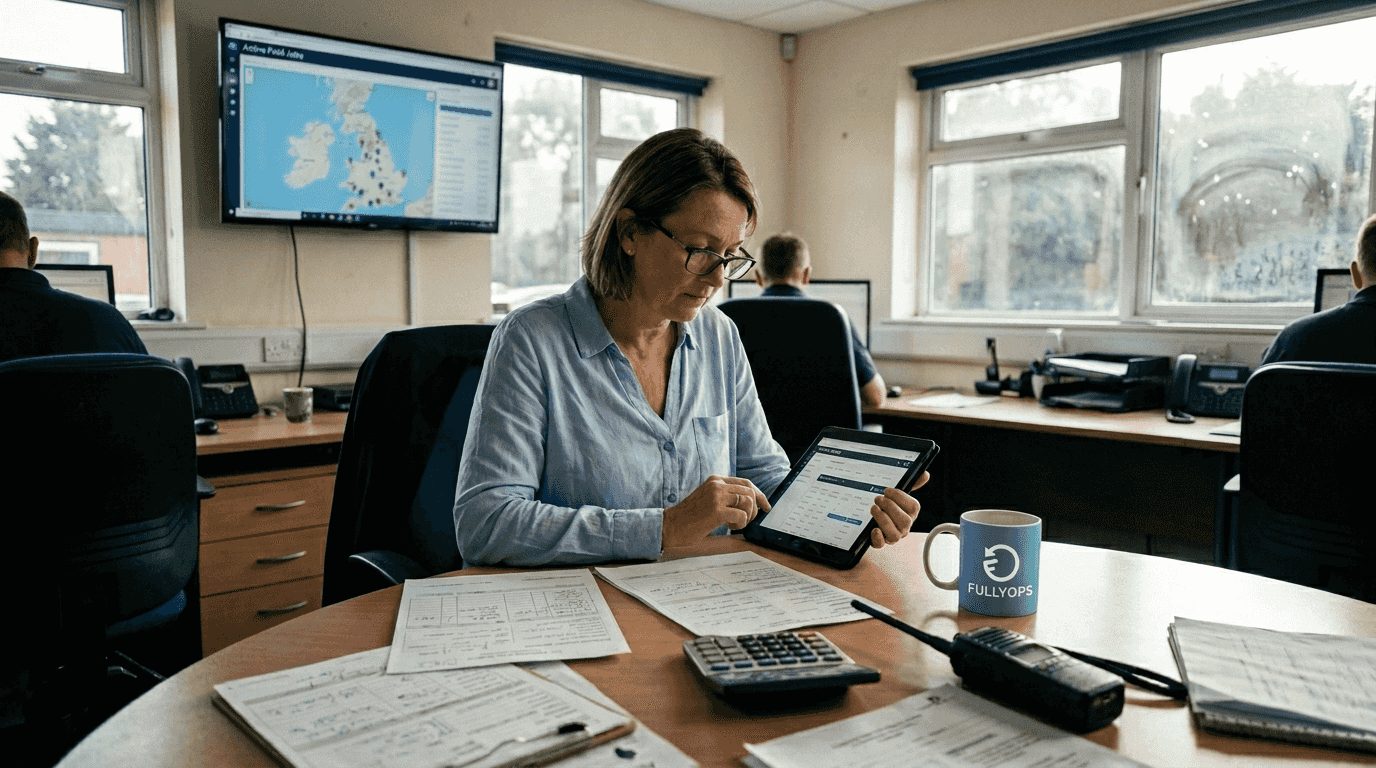
Transforming maintenance with digital work orders results in reduced downtime and better efficiency. Resource allocation tools within mobile apps match available technicians with incoming work based on skills, location, and current workload. This automated matching eliminates manual coordination calls and ensures the right person handles each job. Features like skill-based routing prevent sending junior technicians to complex repairs requiring senior expertise.
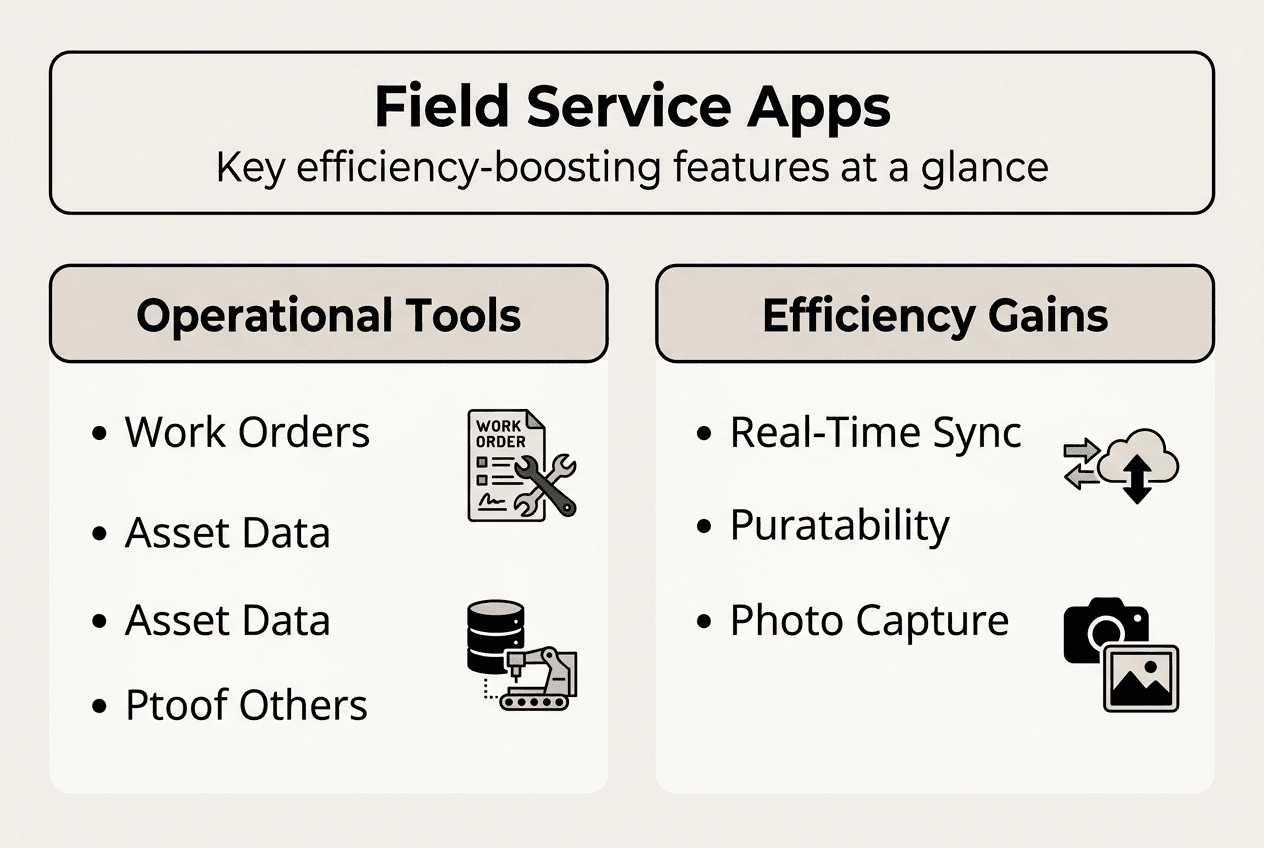
Photo and video capture capabilities have become indispensable for modern field service. Technicians document equipment conditions before and after repairs, capture serial numbers and nameplate data, and record complex issues for remote expert consultation. Visual evidence supports warranty claims, provides training material, and creates detailed asset condition records. Apps that integrate these media files directly into work orders eliminate separate documentation steps.
How mobile apps enhance productivity and reduce downtime in field service
Mobile apps directly impact technician productivity through several measurable mechanisms. Scheduling and task prioritisation become dynamic rather than static when field staff carry connected devices. Dispatchers push urgent jobs to technicians instantly, automatically reordering lower-priority work. This responsiveness means critical equipment failures receive attention within minutes rather than waiting for the next scheduled check-in.
Leveraging apps for quicker fault diagnostics follows this practical workflow:
- Technician receives alert about equipment malfunction with symptom details
- App displays asset history showing similar past issues and resolutions
- Built-in troubleshooting guides walk through systematic diagnostic steps
- Technician captures sensor readings and photos through the app
- System suggests likely causes based on symptoms and asset type
- If needed, technician initiates video call with specialist using app
- Solution implemented and documented digitally with timestamp and details
This structured approach reduces diagnostic time by 30-40% compared to traditional methods where technicians work from memory or call multiple colleagues for advice. The app serves as an intelligent assistant, surfacing relevant information precisely when needed. Maintenance optimisation in 2026 can cut downtime by 30% through enhanced digital tools and mobile solutions.
Resource allocation improvements stem from better visibility into technician availability and capabilities. Mobile apps track when staff complete jobs, how long tasks actually require versus estimates, and which technicians excel at specific repair types. This data feeds scheduling algorithms that optimise assignments. Managers spot underutilised resources and rebalance workloads to prevent some technicians from being overwhelmed whilst others have capacity.
Asset lifecycle support extends beyond immediate repairs to long-term maintenance planning. Every intervention logged through mobile apps builds a comprehensive service history for each asset. This accumulated data reveals patterns like recurring failures, seasonal performance issues, or components approaching end of life. Maintenance managers use these insights to shift from reactive repairs to proactive replacement strategies. The resource allocation guide for industrial maintenance improves efficiency when integrated with mobile apps.
Downtime reduction translates directly to cost savings and customer satisfaction improvements. When technicians diagnose problems faster, access parts information instantly, and complete documentation efficiently, equipment returns to service sooner. Manufacturing operations measure downtime in thousands of pounds per hour, making even small efficiency gains financially significant. Building maintenance teams face similar pressures from occupants who cannot work in facilities with failed HVAC or electrical systems.
Pro Tip: Track first-time fix rates through your mobile app analytics to identify training needs and common parts shortages that cause repeat visits.
Customer satisfaction increases when mobile apps enable better communication and transparency. Technicians provide accurate arrival time estimates, send completion notifications with photos of completed work, and collect digital signatures confirming service quality. Clients appreciate real-time updates rather than wondering when help will arrive. This professional presentation differentiates service providers in competitive markets.
Mobile technology has fundamentally changed our maintenance operations. Technicians now complete 25% more jobs daily because they spend time fixing equipment rather than searching for information or filling out paperwork. Our customers notice the difference in response times and service quality.
Workflow improvements for field technicians extend beyond individual tasks to entire workdays. Apps eliminate administrative burdens like manually logging travel times, transcribing handwritten notes, or calling the office for next assignments. This freed capacity allows technicians to focus on their core expertise: diagnosing and repairing equipment. Job satisfaction typically increases when skilled workers spend more time on meaningful technical work rather than bureaucratic tasks.
Best practices for integrating mobile apps into field service operations
Successful mobile app implementation begins with evaluating your organisation’s specific needs and operational constraints. Start by mapping current workflows to identify pain points where mobile technology delivers the most value. Common high-impact areas include work order assignment delays, incomplete job documentation, parts availability uncertainty, and communication gaps between field and office staff. Prioritise features that address your most costly inefficiencies rather than pursuing comprehensive solutions that overwhelm users.
Selecting appropriate apps requires matching capabilities to your operational reality. Consider these evaluation criteria:
- Integration compatibility with existing asset management and ERP systems
- Offline functionality for sites with poor connectivity
- Customisation options for industry-specific workflows and data fields
- Scalability to support growth in users and transaction volumes
- Vendor support quality and update frequency
- Total cost of ownership including licences, training, and ongoing maintenance
Training and support strategies determine whether technicians actually adopt new tools or revert to familiar paper methods. Effective training goes beyond basic app navigation to demonstrate how mobile tools make daily work easier and faster. Involve experienced technicians in pilot programmes, gather their feedback, and use their success stories to build enthusiasm among peers. Provide hands-on practice with realistic scenarios rather than classroom presentations about features.
Field staff need ongoing support as they encounter edge cases and unusual situations not covered in initial training. Establish clear channels for questions, whether through dedicated support staff, peer mentors, or built-in help resources. Monitor adoption metrics like login frequency, feature utilisation, and data quality to identify users struggling with the transition. Proactive outreach to these individuals prevents frustration and abandonment.
Integrating apps with existing software and asset management systems maximises value whilst minimising duplicate data entry. Modern platforms offer APIs and connectors that synchronise information bidirectionally. Work orders created in your CMMS automatically appear in technician mobile apps. Completed job data flows back to update asset histories and trigger invoicing. Parts used in the field decrement inventory levels in real time. This integration eliminates manual reconciliation and ensures everyone works from current information.
Monitoring performance and continuous improvement should begin immediately after deployment. Track key metrics like average job completion time, first-time fix rates, documentation quality scores, and technician satisfaction ratings. Compare these metrics to pre-implementation baselines to quantify benefits. Regular reviews identify opportunities for refinement, such as simplifying complex forms, adding frequently requested features, or providing targeted training on underutilised capabilities.
Avoiding common pitfalls during adoption requires learning from others’ experiences. Rushing deployment without adequate testing causes frustration when technicians encounter bugs during actual jobs. Failing to involve field staff in solution selection leads to tools that look good in demonstrations but prove impractical in real conditions. Neglecting change management creates resistance from workers who perceive new technology as criticism of their current methods. Address these risks through phased rollouts, inclusive planning processes, and clear communication about implementation goals. Field service transformation involves optimising workflows and supporting technicians with mobile tools and data-driven processes.
Enhance your field service with FullyOps solutions
FullyOps specialises in modernising asset and resource management for industrial and maintenance operations through intelligent mobile-enabled platforms. Our solutions streamline work order management, intervention tracking, and operational analysis whilst integrating seamlessly with your existing systems. Whether you manage industrial machinery, facilities, or automotive equipment, FullyOps provides the visibility and control needed for proactive operations.
Explore our comprehensive atribuição de recursos gestão tutorial de activos to optimise technician deployment and equipment utilisation. Learn how gestão do ciclo de vida dos activos capabilities help you transition from reactive repairs to predictive maintenance strategies. Discover how digital work orders transformation eliminates paperwork whilst improving documentation quality and compliance. Our flexible plans accommodate organisations of all sizes, from small maintenance teams to enterprise operations, with functionality tailored for technicians, administrators, and managers working collaboratively towards operational excellence.
Frequently asked questions about mobile apps in field service
What features should a field service mobile app have?
Essential features include digital work order management, asset tracking with barcode scanning, offline access for areas without connectivity, photo and video capture for documentation, GPS routing for efficient travel, and integration with existing systems. Advanced capabilities like predictive maintenance alerts, parts inventory visibility, and real-time dashboards provide additional value for complex operations.
How do mobile apps improve communication between field teams and managers?
Mobile apps enable instant messaging, automated status updates, and real-time job progress visibility that eliminate phone tag and delayed information sharing. Technicians update work orders on site, triggering automatic notifications to managers and dispatchers. Emergency situations receive immediate attention through push alerts, whilst routine updates flow automatically without manual reporting.
Can mobile apps help predict and prevent equipment failure?
Yes, mobile apps capture detailed asset condition data during every service visit, building comprehensive histories that reveal failure patterns and performance trends. This accumulated intelligence identifies components approaching end of life, recurring issues indicating design problems, and optimal maintenance intervals. Analytics tools process this field data to generate predictive insights that shift operations from reactive repairs to proactive prevention.
What challenges might arise during mobile app adoption?
Common challenges include technician resistance to changing familiar workflows, connectivity issues in remote locations, integration complexity with legacy systems, and initial productivity dips during the learning curve. Inadequate training, poor user interface design, and lack of management support can derail adoption. Address these through inclusive planning, robust offline capabilities, phased rollouts, and celebrating early wins.
How to ensure data security in mobile field service apps?
Implement strong authentication like biometric login or multi-factor verification, encrypt data both in transit and at rest on devices, enable remote wipe capabilities for lost or stolen devices, and restrict access based on user roles. Choose vendors with proven security certifications, regular penetration testing, and clear data handling policies. Train technicians on security best practices like avoiding public Wi-Fi for sensitive operations and recognising phishing attempts.
Recomendado
- Gestão de serviços no terreno: Otimizar e aumentar a eficiência - FullyOps
- Porque é que o serviço de campo móvel transforma o AVAC e a canalização
- 6 Principais Vantagens do Software de Serviço no Terreno para a Eficiência