

TL;DR:
- Automated workflows improve efficiency, accuracy, and reduce maintenance costs in industrial operations.
- Automation can decrease equipment breakdowns by up to 70% and lower operational costs by up to 26%.
- Successful implementation involves phased rollouts, staff training, and focusing on high-frequency, rule-based processes.
Manual processes may feel dependable, but in industrial and maintenance environments, they frequently introduce invisible inefficiencies that compound over time. A missed job assignment here, a delayed approval there, and suddenly your team is firefighting instead of managing. The assumption that human oversight alone guarantees fewer errors is simply not supported by real operational data. Automated service workflows remove the friction from routine tasks, giving operations managers real-time visibility, consistent process execution, and measurable cost reductions. This guide explains what service workflow automation actually means, what it delivers in practice, and how to implement it without disrupting your team.
Table of Contents
- Understanding service workflow automation
- Core benefits: efficiency, cost savings and accuracy
- How automation transforms daily operations
- Common challenges and how to overcome them
- Why most managers underestimate the power of automation
- Unlock automation benefits with the right tools
- Frequently asked questions
Key Takeaways
| Point | Details |
|---|---|
| Reduces operational costs | Automating service workflows can save industrial companies up to 26% annually by eliminating manual inefficiencies. |
| Minimises equipment downtime | Workflow automation leads to 70% fewer unexpected equipment breakdowns and faster issue resolution. |
| Smooth integration possible | Successful automation projects use phased rollouts and training to integrate with existing legacy systems. |
| Improves daily team efficiency | Teams spend less time on admin and more on high-value work thanks to automated assignments and real-time updates. |
Understanding service workflow automation
With the stakes for efficiency so high, it is vital to first understand what automated service workflows actually entail and how they differ from traditional practices.
A service workflow in an industrial or maintenance context is the ordered sequence of activities needed to deliver a maintenance or field service outcome. This typically spans the entire journey from initial job request through to completion and sign-off. Each stage involves multiple people, tools, and information handoffs, and any one of those points can introduce delays or errors if managed manually.
The core stages of a typical service workflow look like this:
| Stage | Manual approach | Automated approach |
|---|---|---|
| Job request | Phone call or paper form | Digital form or system trigger |
| Scheduling | Spreadsheet or whiteboard | Rule-based auto-assignment |
| Dispatch | Manual phone call to technician | Automated notification and job card |
| On-site completion | Paper checklist, verbal update | Mobile app update, digital sign-off |
| Reporting | Manual data entry after the fact | Automatic report generation |
The contrast is stark. Manual processes depend on individual discipline and communication to hold each stage together. Automated workflows, by contrast, apply rules consistently across every job, every time.
Key characteristics that define automated service workflows include:
- Trigger-based actions: A completed inspection automatically generates the next task without human prompting.
- Automatic notifications: Technicians, managers, and clients receive updates at the right moment without anyone sending a manual message.
- Centralised data capture: Job history, asset records, and completion data are stored automatically, not filed away by hand.
- Approval routing: Escalations and sign-offs move to the right person based on predefined criteria.
Field service automation platforms demonstrate this clearly: automated workflows coordinate routine tasks, notifications, and approvals, reducing manual intervention and errors across the full service cycle. Rather than relying on individuals to remember the next step, the system drives the process forward. The practical result is a maintenance workflow guide that any operations team can follow consistently, regardless of staff turnover or schedule pressures.
Core benefits: efficiency, cost savings and accuracy
Now that automation’s role in workflows is clear, let us examine why so many industrial teams are making the switch and what measurable results they are seeing.

The most persuasive argument for automation is financial. Cost savings with workflow automation are well-documented: companies that automated their service request workflows saw operational cost reductions of up to 26%. That figure reflects real reductions in labour time, rework, and administrative overhead that accumulate every single working day. For a mid-sized industrial operation processing dozens of service requests per week, a 26% cost reduction is not marginal. It is transformative.
Beyond direct cost savings, maintenance breakdown reduction is perhaps the most compelling operational benefit: automation can result in up to 70% fewer equipment breakdowns. This is achieved through consistent preventive maintenance scheduling, automated alerts when service intervals are due, and faster technician dispatch when issues arise. The financial and operational implications of avoiding unplanned downtime are enormous, from reduced emergency repair costs to preserved production output.
Here is a direct comparison of manual versus automated workflows across the dimensions that matter most to operations managers:
| Metric | Manual workflows | Automated workflows |
|---|---|---|
| Average time to job assignment | 45 to 90 minutes | Under 5 minutes |
| Error rate in data entry | 8 to 12% | Under 1% |
| Missed service intervals | Common | Near-zero with alerts |
| Reporting turnaround | 24 to 72 hours | Real-time or same day |
| Technician idle time | High, due to poor scheduling | Significantly reduced |
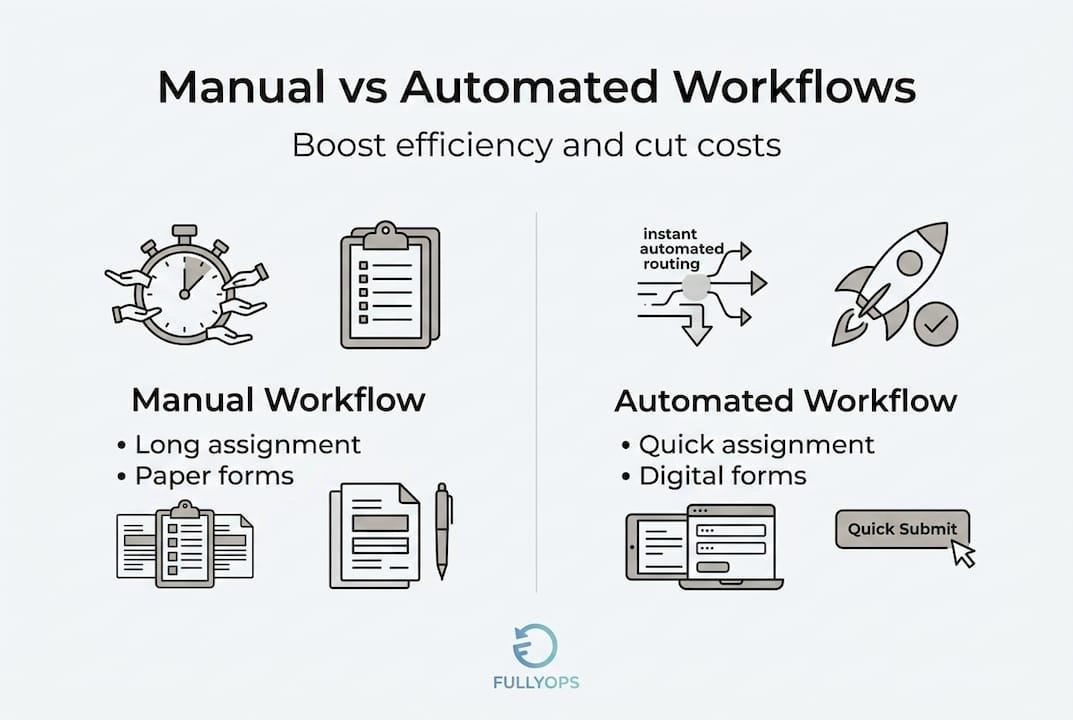
Beyond the numbers, accuracy improvements deserve particular attention. In manual environments, data entry errors are constant. Wrong asset numbers, incorrect job codes, missing completion signatures. Each small error erodes data quality over time, making it harder to analyse trends, plan resources, or demonstrate compliance. Automated workflows enforce data capture standards at every step, meaning the information your system holds is reliable enough to base decisions on.
Additionally, studies on energy savings through automation illustrate a broader principle: when systems act on data rather than waiting for human input, resource consumption drops measurably across every process they govern. The same logic applies directly to maintenance operations.
Pro Tip: When deciding which processes to automate first, prioritise those that are high-frequency, rule-based, and currently prone to delays or errors. Recurring preventive maintenance scheduling and service request triage are typically the fastest wins, delivering visible results within weeks.
How automation transforms daily operations
These broad benefits become even more tangible when we look at exactly how automation alters everyday tasks for service teams and managers.
Consider a typical day for a field service team without automation. A supervisor arrives in the morning and spends the first hour reviewing pending requests, manually assigning jobs to technicians, and sending individual notifications. Technicians check in by phone to confirm receipt. Halfway through the day, an urgent breakdown comes in, requiring the supervisor to manually reprioritise the schedule. By end of day, completion records are incomplete because two technicians forgot to file their paperwork. The supervisor stays late to compile a report for management.
Now consider the same day with automated workflows. The workflow optimisation case studies available from industrial operations tell a different story. The typical automated day looks like this:
- Job requests enter automatically: New requests arrive via a digital portal or system alert and are categorised by priority without manual review.
- Auto-assignment applies scheduling rules: The system assigns jobs based on technician availability, skill set, and geographic proximity, instantly.
- Technicians receive mobile notifications: Each technician sees their job queue on a mobile device with full asset history, instructions, and any required parts.
- Real-time status updates flow back: As technicians progress through jobs, updates are captured automatically. Managers see live dashboards rather than waiting for manual reports.
- Completion triggers next actions: A completed inspection automatically schedules the follow-up preventive maintenance interval, updates the asset record, and generates the completion report.
- Exception alerts escalate automatically: If a job is not completed within the expected window, the system flags it for manager review without anyone needing to chase it.
This approach, well-evidenced in the preventive maintenance workflow literature, substantially reduces process complexity while improving technician productivity. The technician’s time is spent on the actual work rather than on administration, communication overhead, or waiting for information.
A HVAC workflow case study from the commercial facilities sector illustrates this well: after implementing automated scheduling and job tracking, one organisation reduced average job completion time by 30% and eliminated the backlog of overdue service records that had plagued their manual system. The same pattern holds across industrial sectors.
As one operations director observed after implementing automated workflows: “The biggest surprise was not the cost reduction, it was how much calmer the whole operation became. Fewer calls, fewer chases, fewer surprises.” That reduction in operational noise is difficult to quantify but impossible to ignore once experienced.
Common challenges and how to overcome them
Despite the clear benefits, managers often face hesitation or technical roadblocks when making the move to automation. Here is how successful teams navigate these hurdles.
The most frequently cited barriers to automation adoption in industrial environments include:
- Legacy system concerns: Older asset management or ERP platforms may not integrate cleanly with modern automation tools, raising fears of data silos or duplicate entry.
- Team resistance: Technicians and supervisors accustomed to existing processes may view automation as a threat to their autonomy or job security.
- Fear of operational disruption: Managers worry that switching systems mid-operation will cause more confusion than it resolves, particularly during busy periods.
- Uncertainty about configuration: Many teams do not know how to define rules and triggers for automated workflows, making the starting point feel unclear.
Each of these concerns is legitimate, but none of them is insurmountable. Scheduling automation insight from field service specialists confirms that concerns about integration with legacy systems and staff adaptation are best managed through phased rollouts and thorough training. Rather than attempting a full system replacement, successful operations introduce automation into one process at a time, allowing the team to build familiarity and confidence incrementally.
Evidence from sectors beyond industrial maintenance reinforces this point. A cleaning business automation experience demonstrates that even organisations with limited technical infrastructure can achieve meaningful results by automating one or two core workflows before expanding further. The initial wins build momentum and address scepticism far more effectively than any presentation could.
Practical steps for overcoming adoption barriers include:
- Communicate the “why” clearly: Share the data on cost savings and error reduction with your team. People resist changes they do not understand; they support changes they believe in.
- Identify automation champions: Select one or two enthusiastic team members to pilot the new process and share their experience with colleagues.
- Define a clear pilot scope: Choose a single, well-understood workflow for the first automation project. Recurring equipment inspections or service request intake are ideal candidates.
- Build in a feedback loop: Create a simple mechanism for technicians to flag issues or suggest adjustments during the pilot period. This builds ownership and accelerates improvement.
Pro Tip: The best pilot process for first-time automation is one that is repeated at least weekly, involves at least two handoffs between people, and currently relies on email or phone for communication. These characteristics make the efficiency gains immediately visible and easy to measure.
Why most managers underestimate the power of automation
With practical steps covered, it is worth stepping back to confront the biggest mental blocks holding operations leaders back from realising automation’s full potential.
Most conversations about automation adoption focus heavily on upfront investment and implementation complexity. These are real considerations, but they tend to crowd out equally important factors that accumulate quietly over time. The real-world cost savings data is compelling, but the less-discussed gains are often what sustain long-term commitment to automation.
Consider transparency. Manual workflows are opaque by nature. Information lives in spreadsheets, email threads, and individual memories. Automation forces process visibility because every action is logged, timestamped, and retrievable. This is not just useful for reporting. It changes how managers make decisions. When you can see, in real time, which assets are overdue for service, which technicians are overloaded, and where delays are consistently occurring, you stop reacting and start managing proactively.
Consider team morale. There is a persistent assumption that automating processes removes meaningful work from technicians and supervisors. In practice, the opposite is frequently true. Removing the administrative burden from a skilled technician’s day does not diminish their role. It returns their attention to the work they were trained to do. Fewer phone interruptions, fewer manual forms, fewer end-of-day data entry sessions. Teams that operate with automated workflows consistently report lower frustration levels and greater confidence in their daily schedules.
Finally, consider the compounding nature of small wins. Automating even one high-frequency workflow, such as service request triage, creates a data trail that reveals the next optimisation opportunity. Over six to twelve months, each successive improvement builds on the last. The operations manager who starts by automating one process in January typically has four or five automated workflows running by December, each contributing to a measurably more efficient and lower-cost operation.
The risk of underestimating automation is not that you implement it badly. It is that you delay implementing it at all, and continue absorbing costs and inefficiencies that your competitors have already eliminated.
Unlock automation benefits with the right tools
For managers inspired to put automation strategies into action, there are clear and practical next steps available. FullyOps provides a platform purpose-built for industrial and maintenance operations, with tools covering work order management, automated scheduling, real-time job tracking, and performance reporting. The resources available through FullyOps go beyond general guidance. Explore the resource allocation tutorial for practical steps on assigning the right technicians to the right jobs automatically. Review the latest asset management trends to understand where the sector is heading in 2026. And if inventory control is a priority, the inventory tracking essentials guide covers how to integrate parts management directly into your automated workflows, eliminating one of the most common causes of job delays.
Frequently asked questions
What are service workflows in industrial companies?
Service workflows are organised sequences of tasks such as job requests, scheduling, and approvals that ensure service delivery is efficient and trackable. As confirmed by field service automation research, these workflows coordinate routine tasks, notifications, and approvals, reducing manual intervention and errors throughout the service cycle.
How does automation reduce maintenance costs?
Automation lowers costs by streamlining processes, preventing equipment failures, and enabling predictive interventions before breakdowns occur. Evidence shows that automation reduces breakdowns by up to 70%, which directly avoids emergency repair costs and unplanned downtime losses.
Is automation difficult to implement in legacy systems?
With phased rollouts and proper training, automation can be integrated successfully even with older infrastructure and systems. Phased rollouts and training are the proven method for managing both technical integration and staff adaptation challenges effectively.
What is the typical ROI for automating service workflows?
Firms have reported up to 26% cost savings within the first year of automating their service request workflows, reflecting reductions in labour time, rework, and administrative overhead.
Can automation help reduce equipment downtime?
Yes, automation cuts downtime by optimising preventive maintenance schedules and speeding up service response when issues arise. Platforms built around automated maintenance efficiency consistently demonstrate fewer unplanned failures and faster mean time to repair across industrial asset portfolios.
Recommended
- Streamline your service request workflow: 26% cost savings
- Workflow for Preventive Maintenance: Cut Costs by 30% in 2026